In the classroom
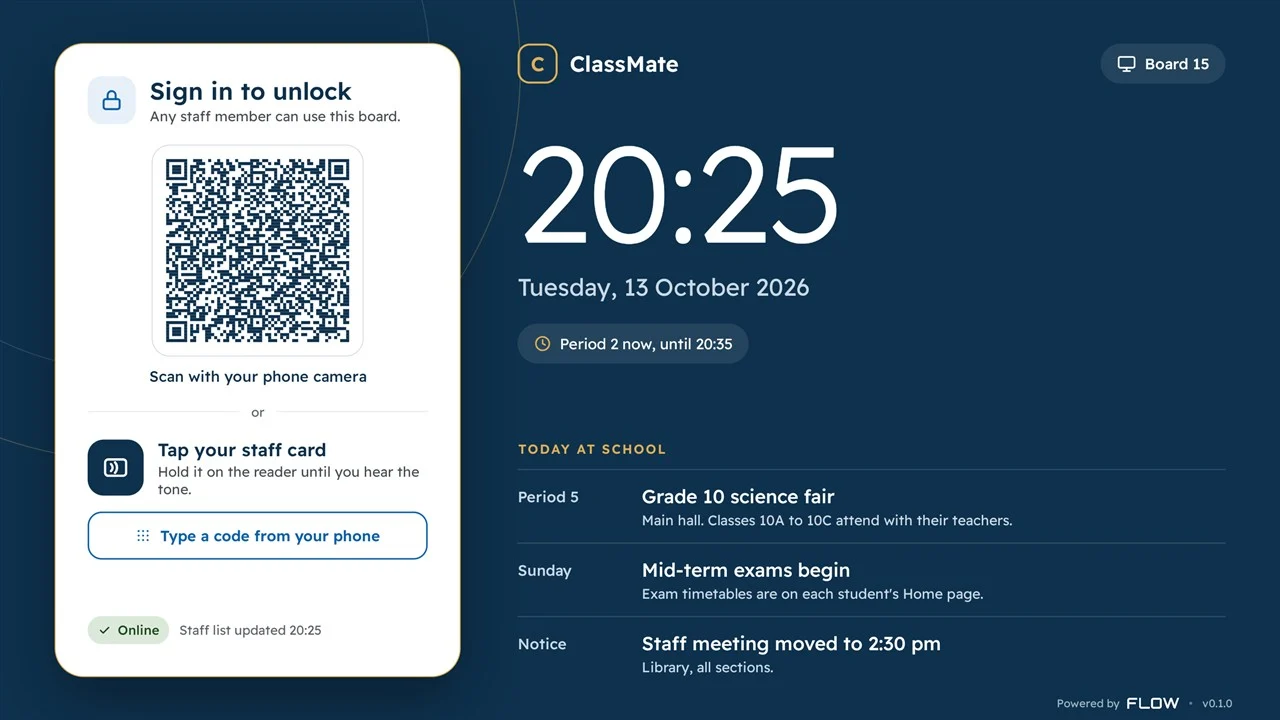
Teachers sign in to unlock the board, and everything for the lesson is then one tap away.
Sign in your way
Tap your staff card, scan a code with your phone, or type a code if the board is offline.
Your lesson is ready
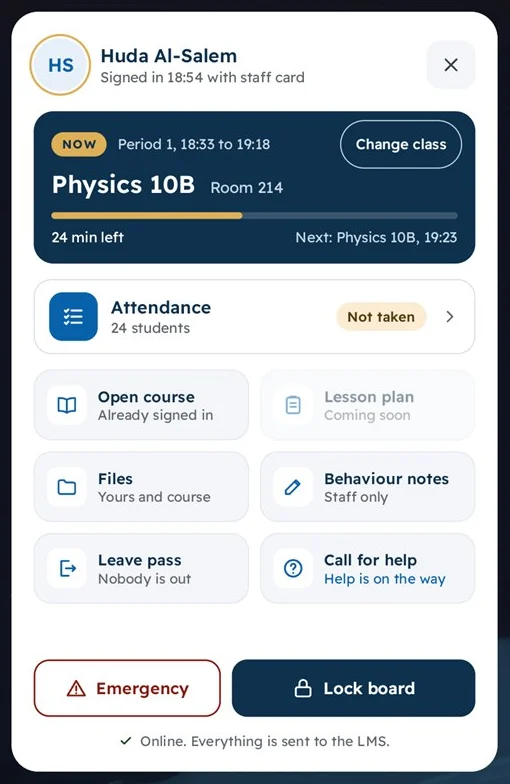
The timetable brings up your class, your room, and the time left.
Attendance in a few taps
Mark students present, late, or absent. With no network, it’s saved and sent later.
Your files
Open your own files, the course’s files, OneDrive, or a USB stick, and save your changes back.
Behaviour notes
Write a quick note about a student without leaving the lesson.
Leave passes
Let a student out with a timer running, and see who’s still out of class.
Call for help
Ask for IT or a supervisor, and see when help is on the way.
Emergency
Hold the button for two seconds and the right people are told, without a sound in the room.
A clean board when you leave
Signing out closes your apps and clears your sign-ins, downloads, and recent files.
It all works in Arabic and English, and each teacher chooses their language.
On every screen
Send a message to your boards and gate screens, right now or on a schedule.
Any kind of message
Send text, photos, videos, web pages, or a live stream.
Shown your way
Use a small notice, a pop-up, or the full screen, with sound when you need it.
The right screens
Reach every board, or groups you set up by building, floor, or grade.
School alerts
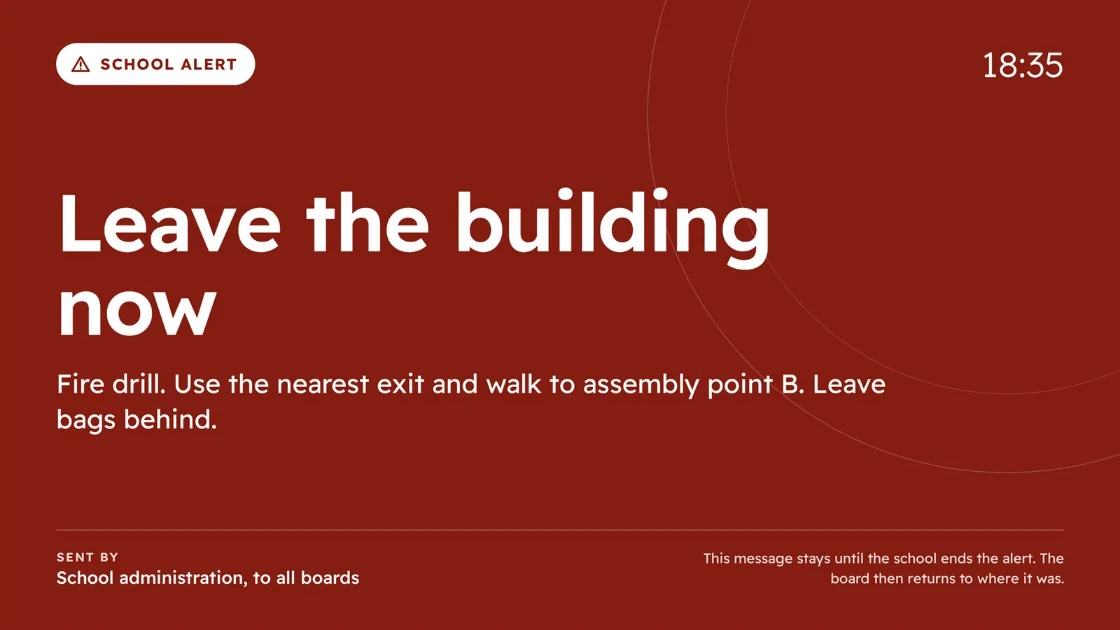
Put an alert on every board at once. It stays until the school ends it.
Other systems, such as a fire panel, can also set off a message on the screens you choose. While a board is locked, it shows school events, notices, and the next prayer time.
Going home
Families show a code at the gate, staff scan it, and students are called.
Pickup codes
Each family has a code, and so does anyone they authorise to collect a child.
Gates and times
Set up your gates, and when each group goes home on each day.
Called by name
Names show on the gate screens and on the board in the student’s room.
Everyone accounted for
See who’s gone home and who’s still at school until the campus is empty.
If someone’s late, staff can send the guardian a prepared message. Plate cameras can also call a family’s children when the car arrives, where the school has them.
For the school office
Everyone opens one page and sees the cards that match their job.
Out of class now
A live list shows every student out of class, and how long they’ve been gone.
Skipped class
See students who came to school but missed a lesson.
Early leave
Parents ask from home, the office answers, and the student’s later lessons are marked for you.
The day’s absence
Confirm who’s absent, then let guardians know by SMS and email.
Cover teachers
Give a lesson to a cover teacher, who can then take its attendance.
Who gets each call
Decide who’s told about each kind of call, how, and who it passes to next.
For your IT team
Run every board from one page, without walking the corridors.
Every board at a glance
See each board’s status, room, who’s signed in, and its health.
Control from a distance
Lock, unlock, or restart a board, or lock them all at once.
Apps and updates
Choose which apps are allowed, try updates on a few boards first, and roll back if you need to.
Reports
See who used which board, find lessons where it wasn’t used, and build your own reports.
ClassMate Monitor
A tablet app for supervisors out on the campus.
Alerts in your hand
Emergency alarms, calls for help, and skipped classes reach you wherever you are.
Handle it on the spot
Take a call, answer an early-leave request, or bring a student back to class.
Find any student
See where a student should be now, and how their day has gone.
At the gate
Scan family codes and hand students over at dismissal.