What it does for you
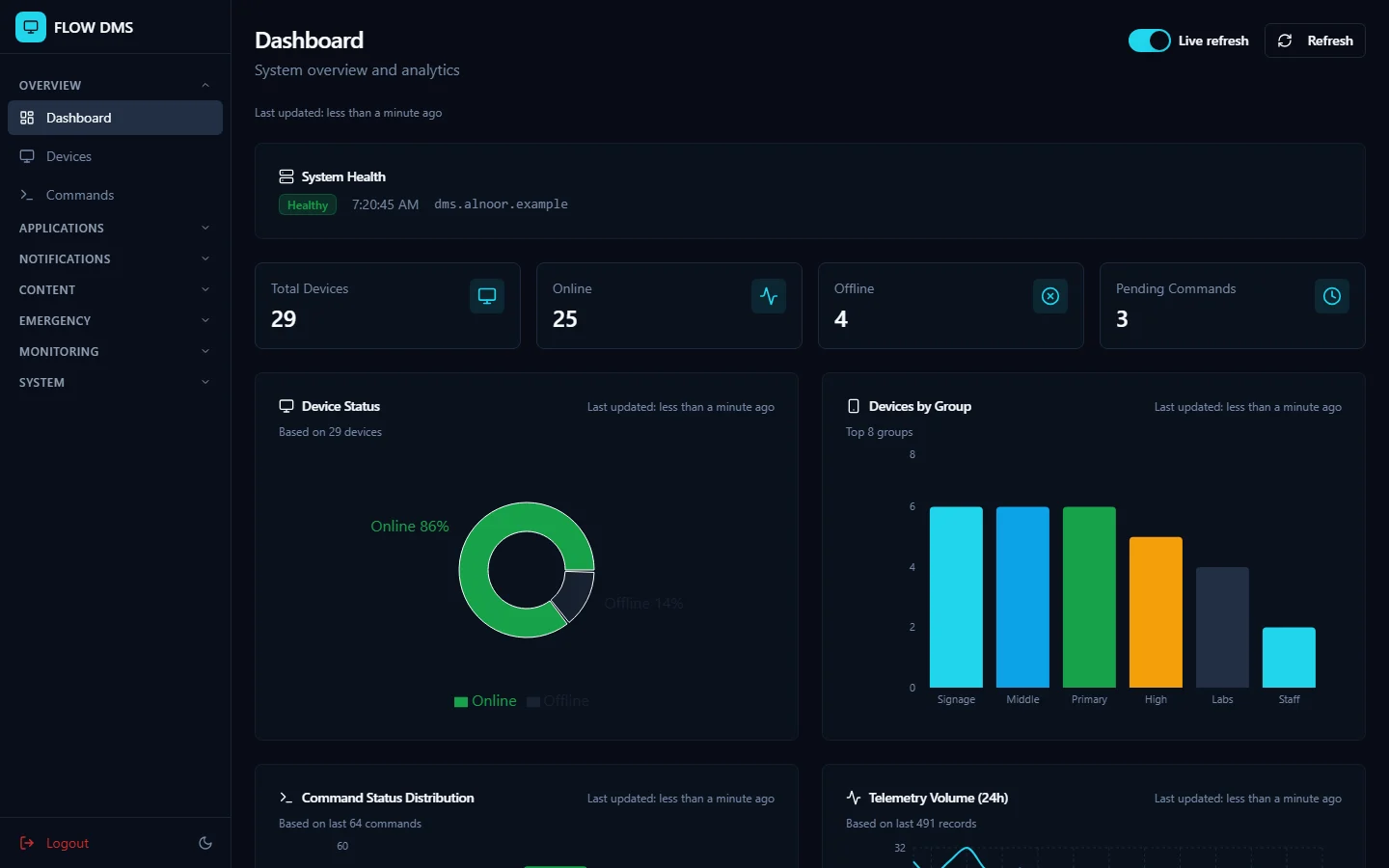
See all your devices
One dashboard shows what’s online and what isn’t, and you can sort devices by group, location, or tag.
Control them from your desk
Turn screens on or off, lock them, restart them, and change the volume, brightness, or input.
One screen or all of them
Send a command to one device, a group, a whole site, or everything that matches a filter, then see how each one responded.
Let it run on a schedule
Set commands to run once or on repeat, and choose when your screens switch on and off.
Keep apps under control
Upload Android apps, install or remove them remotely, and see which devices have apps you haven’t approved.
Send content to your screens
Push files, images, and videos, run an image carousel, or change the wallpaper.
Get your message across
Send notices and announcements as a pop-up or full screen, save templates, and mark what people must read.
Be ready for emergencies
Prepare your emergency protocols ahead of time, trigger one when it’s needed, and keep a record of each incident until it’s resolved.
Fix problems from a distance
See a device’s screen, test its touch, microphone, and camera, and send updates without a visit.
Sign-ins and requests are logged, so you can check back on what happened.
See it in use
These are real screens from the product. The names and figures in them are made up.
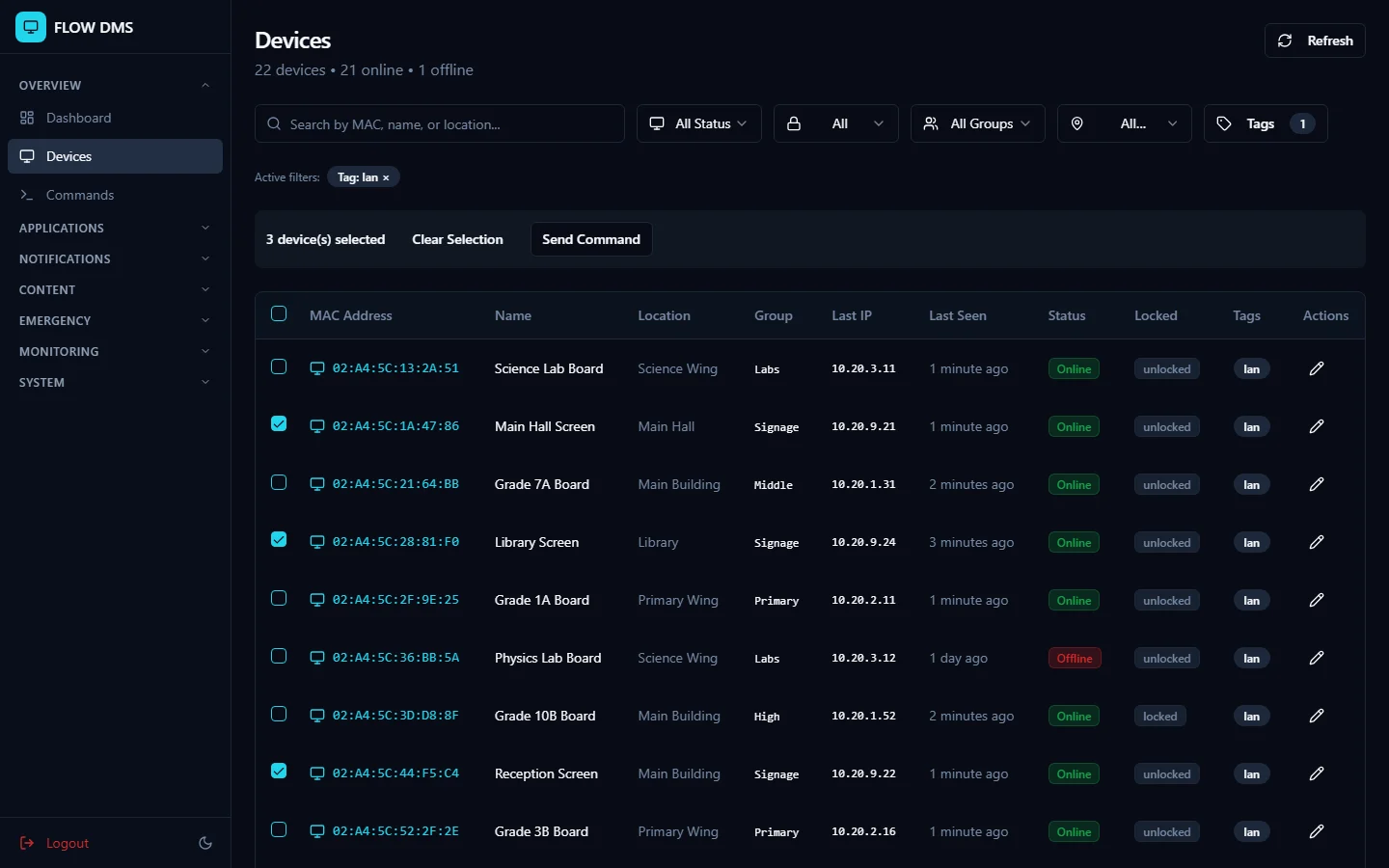
All your devices in one list
Filter by status, group, site, or tag, then pick the ones you want.
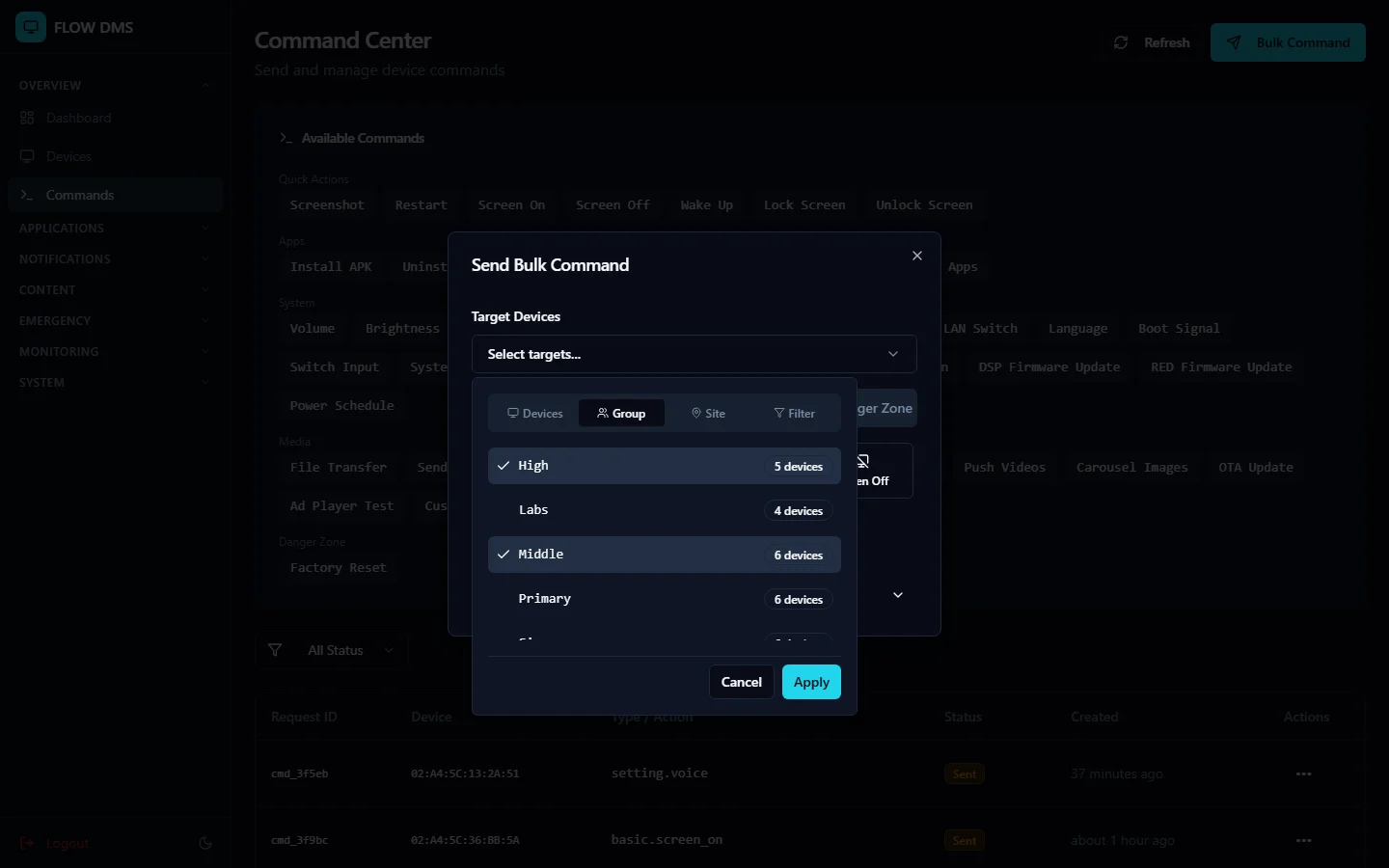
Choose who gets a command
Aim it at chosen devices, whole groups, a site, or a filter.
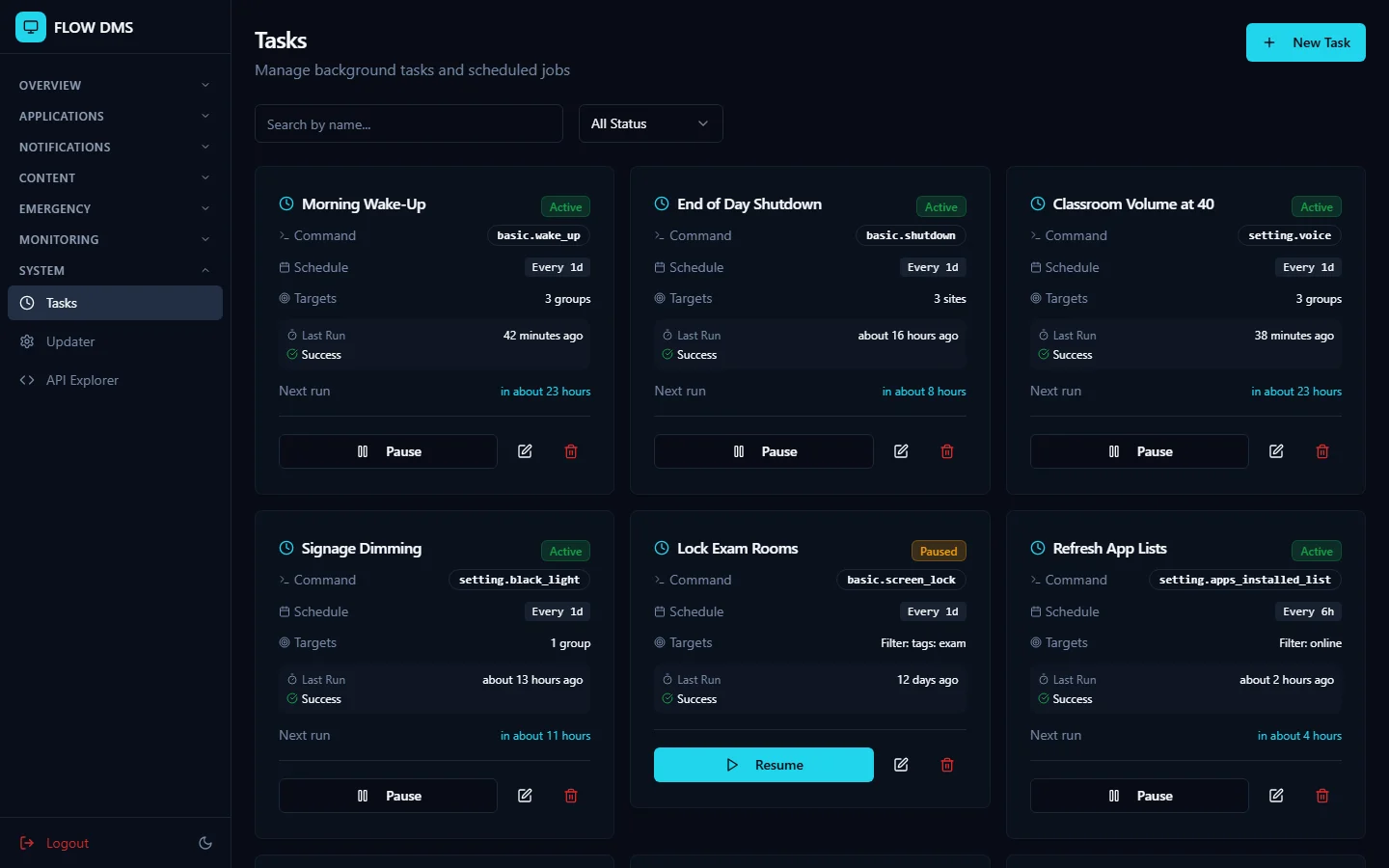
Jobs that run by themselves
Wake-ups, shutdowns, and volume changes run on their own schedule.
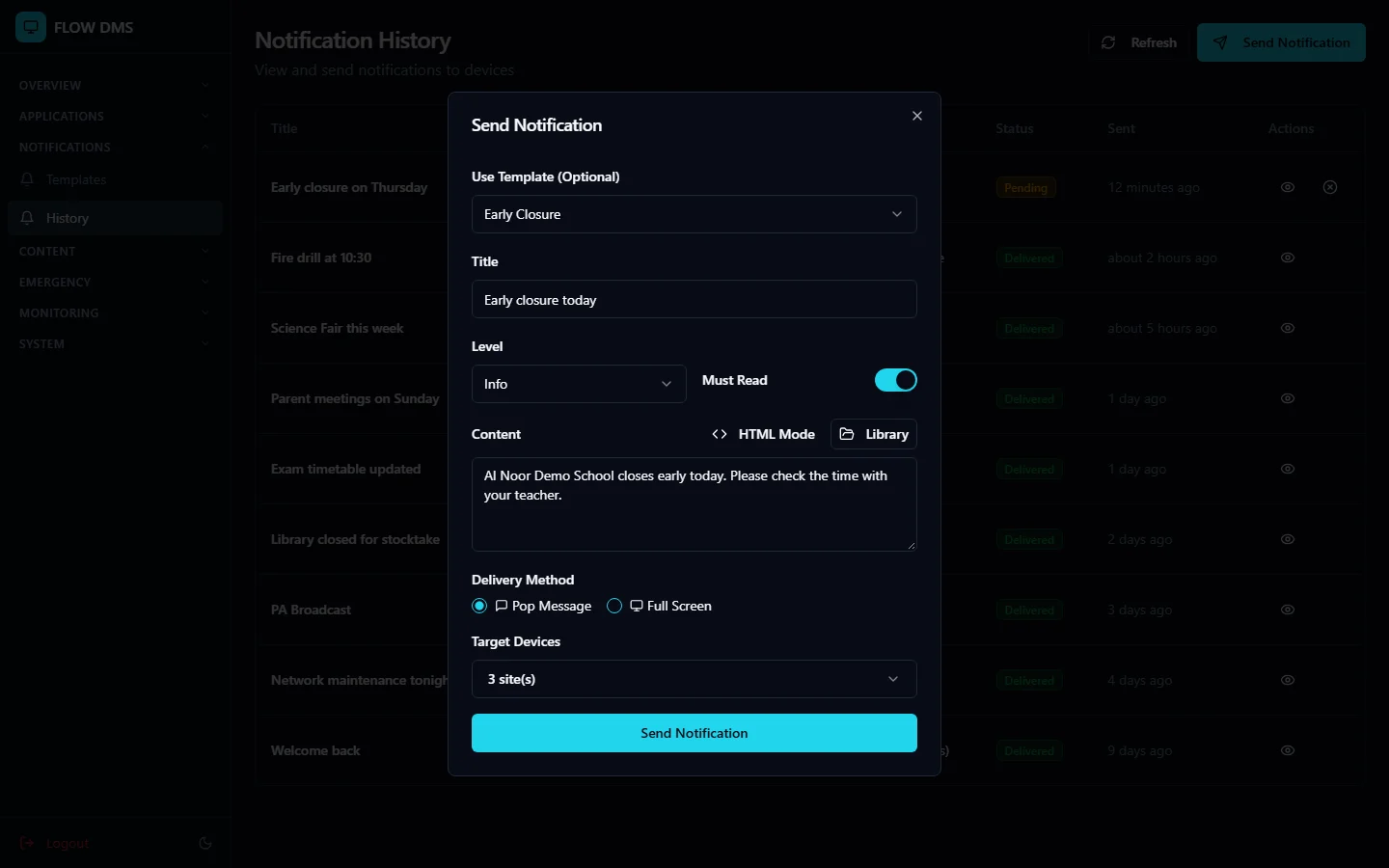
Send a notice
Start from a template, choose pop-up or full screen, and pick where it goes.
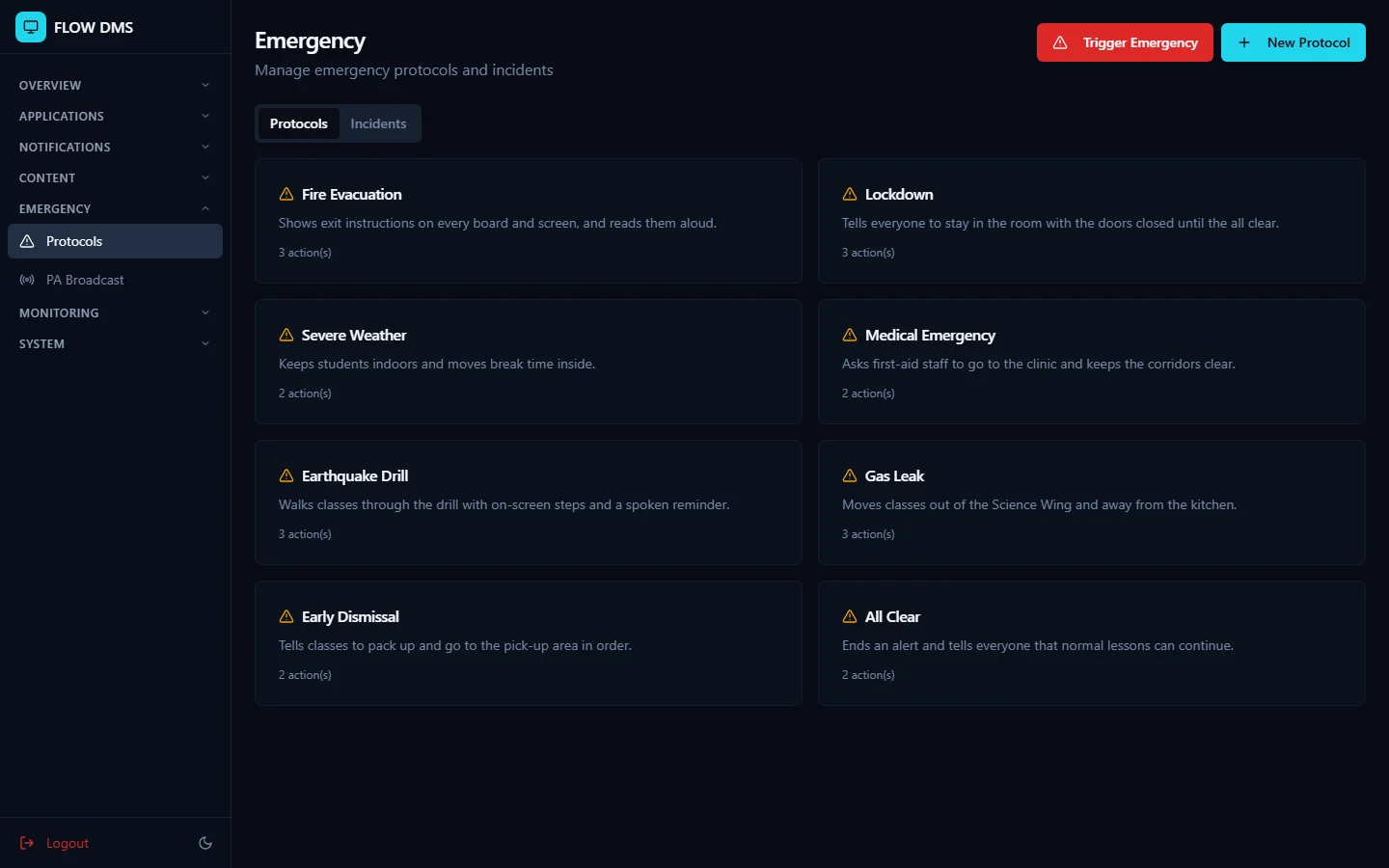
Emergency protocols, ready to go
Prepare each protocol ahead of time, then trigger it when you need it.