Flow Campus

A full ERP system for schools, and our flagship product. Student records, families, fees, accounting, HR, and reports all run from one place.

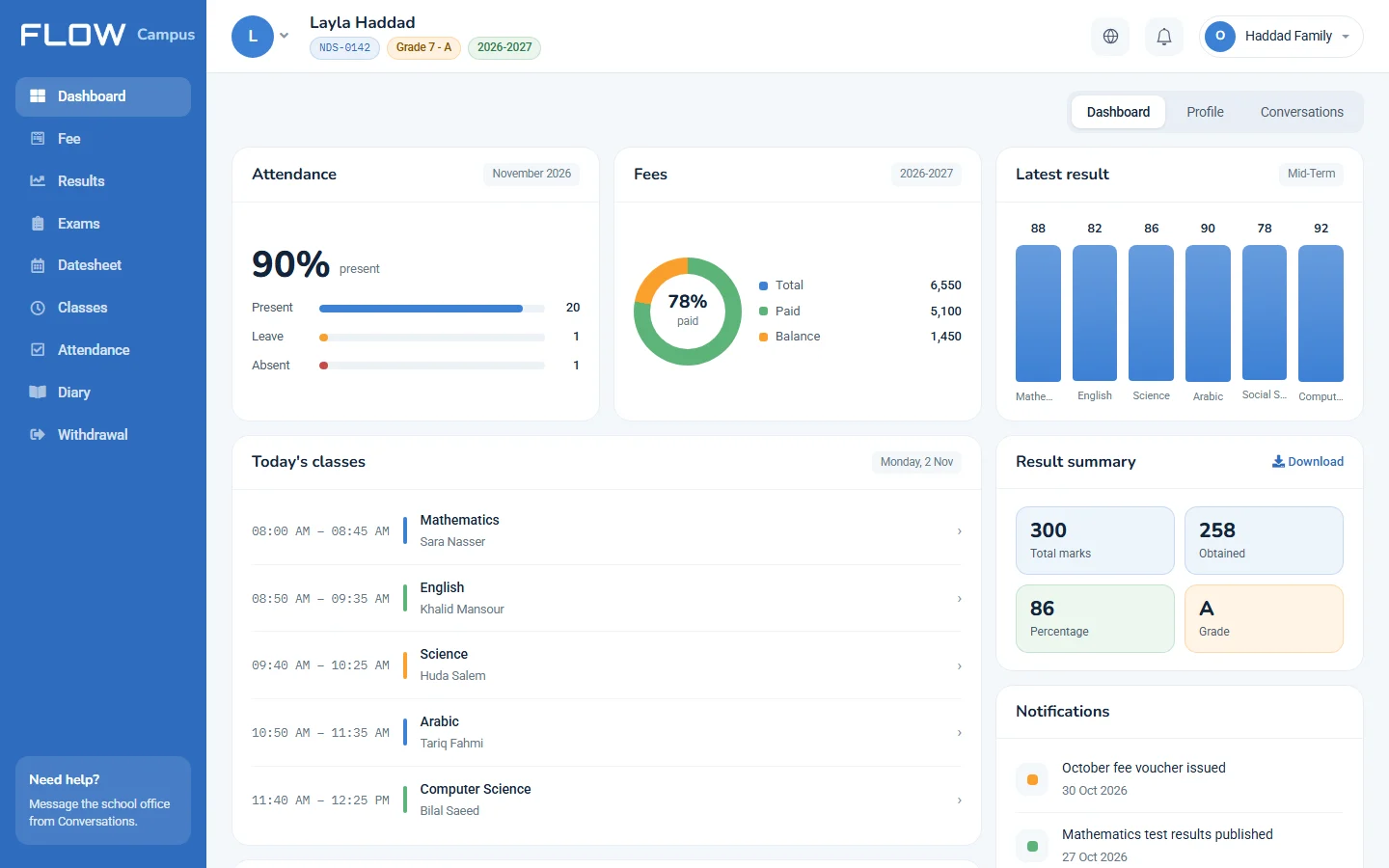
The student dashboard, with attendance, fees, latest results, and today’s classes.
A real screen from the product. Names and figures are made up

Who it’s for

The people who make the decisions at a school, and the people who keep it running every day.

  • Owners and senior leadership

    You want to see how the whole school is doing without chasing reports.

  • School administration and operations

    You run the day: admissions, fees, timetables, and everything in between.

  • IT teams

    You look after the system and want to know how it fits together.

A whole school year, start to finish

The platform stays with each student from the day they apply to the day they move up.

  1. Applying

    Students apply, sit an entry test, and come in for an interview.

  2. Contract and fees

    You agree the contract, the fees, and how they’ll be paid.

  3. Classes and timetables

    Every student gets a class, and every teacher a timetable.

  4. Teaching

    Teachers plan lessons, write diaries, and take attendance.

  5. Exams

    You set the date sheets, prepare papers, and assign invigilators.

  6. Results

    Marks go in, you approve them, and result cards go out.

  7. The next year

    Students move up and re-register.

All year long: HR, payroll, purchasing, and accounting keep running at the same time.

See it in use

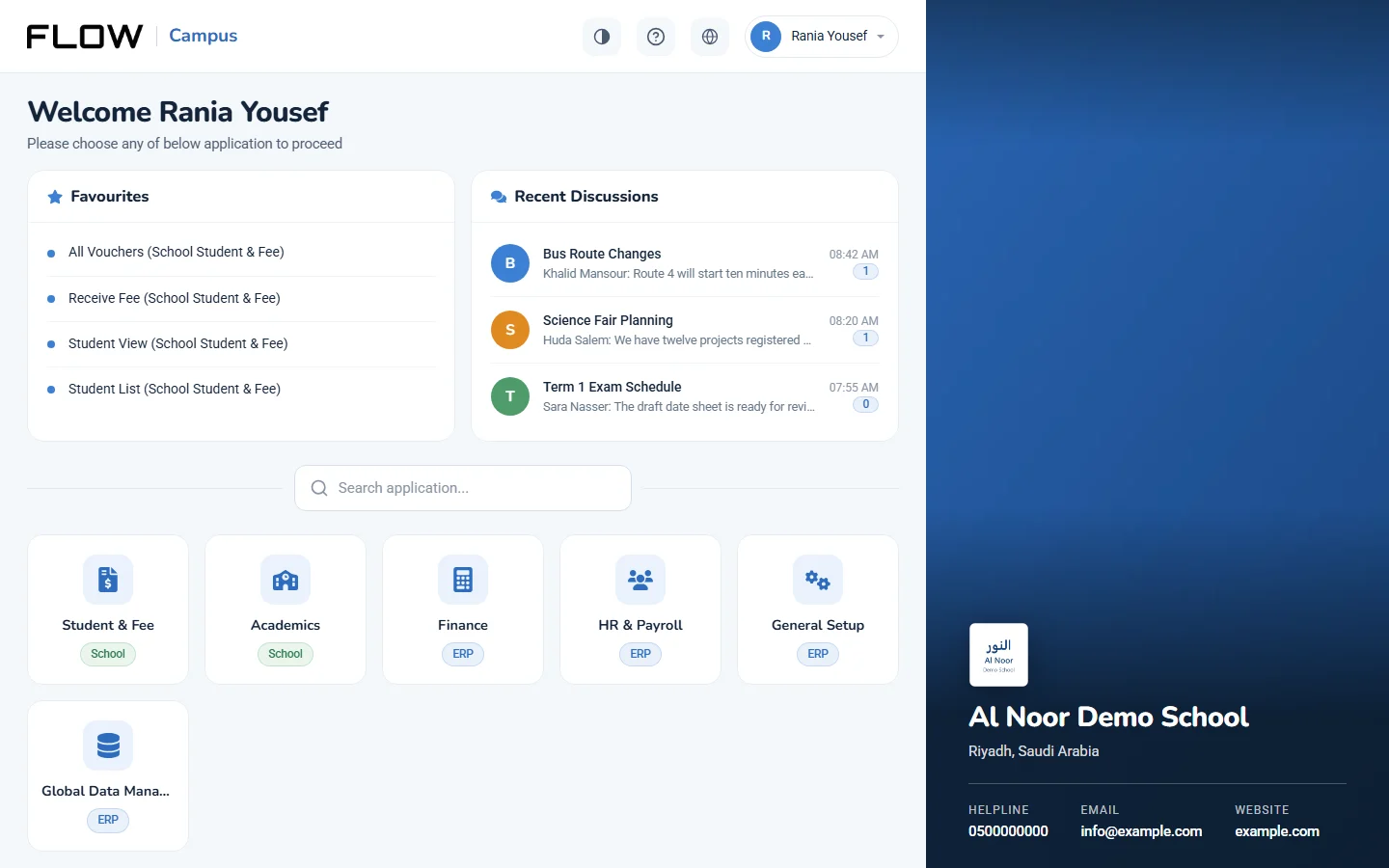
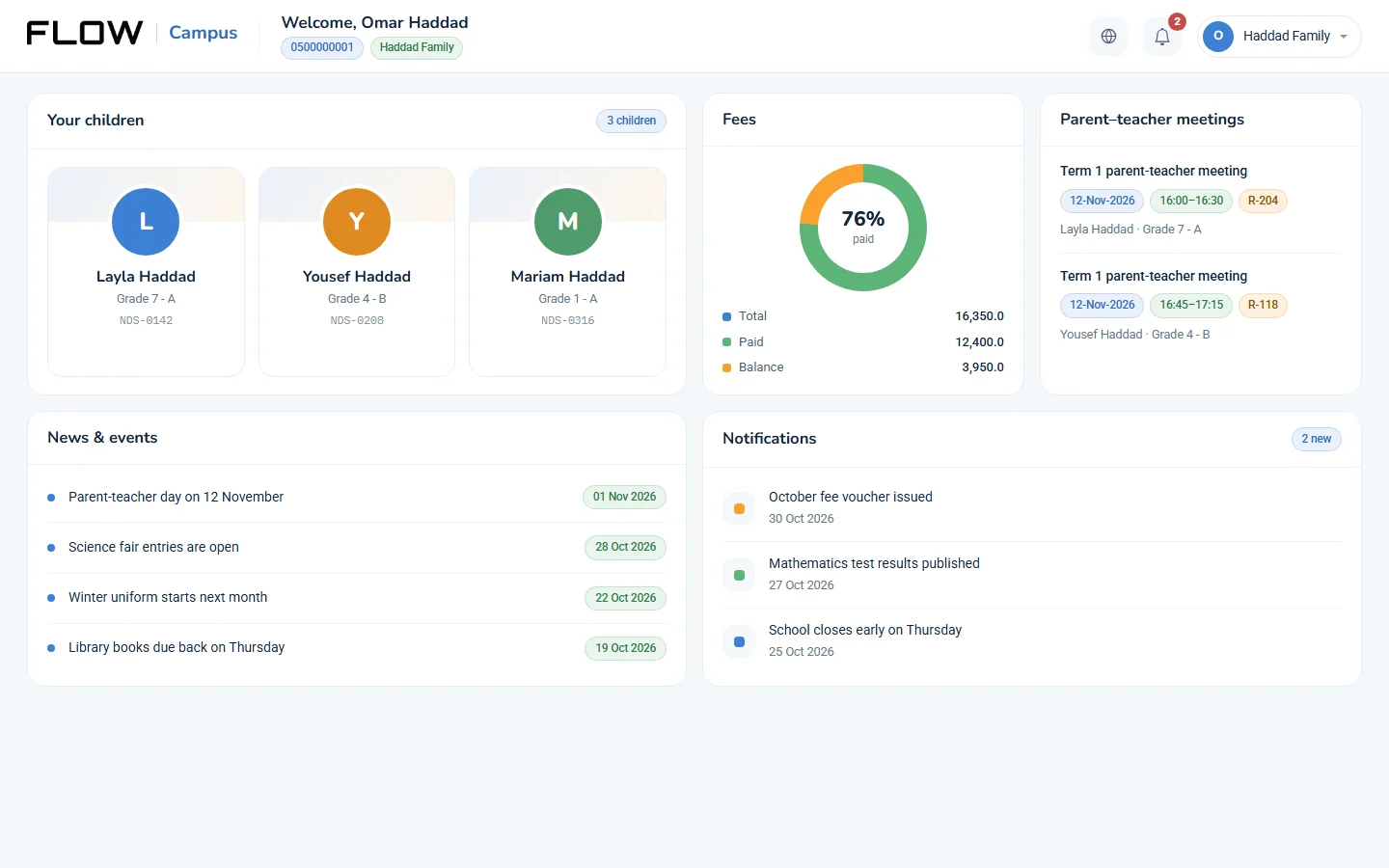
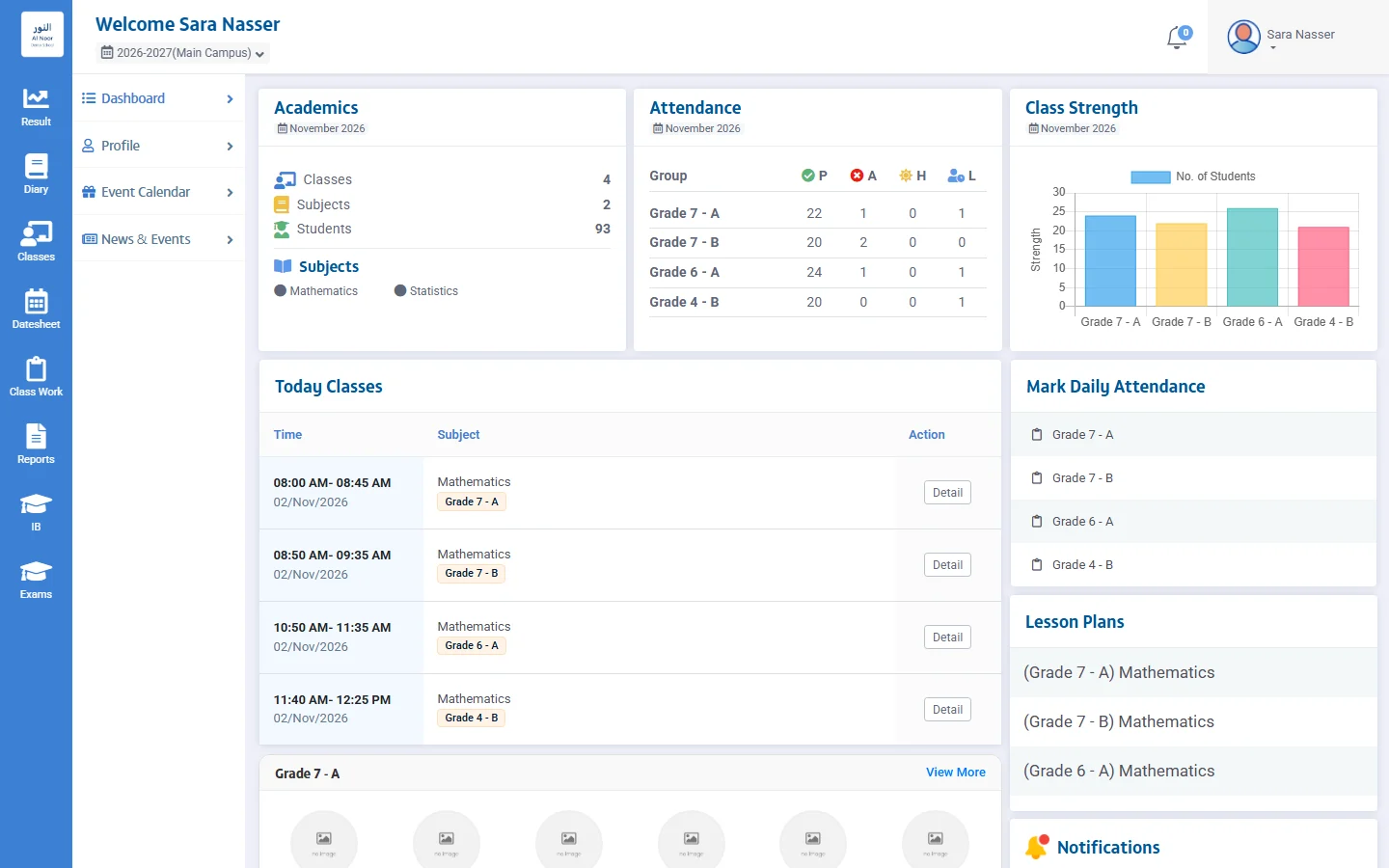
These are real screens from Flow Campus. The school, names, and figures in them are made up.

  • The launcher after sign-in, with favourites, recent discussions, and each module.

    Every app from one sign-in

    Sign in once, then open Student & Fee, Academics, Finance, HR & Payroll, and more.

  • A parent’s dashboard with three children, fees, meetings, news, and notifications.

    What parents see

    All their children on one page, with fees, parent-teacher meetings, and school news.

  • A teacher’s dashboard with today’s classes, attendance, and class sizes.

    What teachers see

    Today’s classes, daily attendance to mark, and lesson plans.

One system, not separate tools

  • One sign-in

    Sign in once and you’ll see every app you have access to on one page.

  • One student record

    Admissions, fees, attendance, and results all work from the same student record.

  • Connected accounts

    Fees, salaries, and purchases all reach accounting.

  • One school or many

    Each branch keeps its own data, and senior leadership can see them all together.

Students and admissions

From the day a family applies to a student’s last day at school.

Admissions

Every application stays in one place, from the day it arrives until the student is enrolled.

  • Go through applications and check the details are right
  • Schedule entry tests in batches, at the centres you choose
  • Take attendance at the test and record the results
  • Book interviews with candidates who pass
  • Issue admission fee vouchers
  • See which contracts are still pending
  • Place accepted students in their classes
  • Re-register returning students

Student information (SIS) and families

Each student has one record, and brothers and sisters are linked through their family.

  • Keep student and family records together
  • See everything about a student on one page
  • Promote students, or move them between classes and branches
  • Handle withdrawals, and bring students back when they return
  • Record medical check-ups
  • Print student ID cards
  • See student numbers by class, section, and gender
  • Set up student logins

Teaching and learning

From planning what to teach to seeing how students did.

Curriculum and lesson plans

Plan what gets taught, how, and with which books.

  • Build curriculum templates, topic by topic
  • Manage the syllabus
  • Write lesson plans and attach your files
  • Ask the built-in AI assistant for help with your lessons
  • Organise learning resources by type
  • List the books and stationery each class needs

Timetables

Start with your school hours and build the week from there.

  • Set school timings
  • Set up periods for each stage and day
  • Match subjects to classes and teachers
  • View the timetable by class, by day, or as a grid
  • Check the daily timetable

The school day

What happens at school each day gets recorded in one place.

  • Take attendance by day or by subject
  • Take attendance from biometric devices
  • Pull attendance reports
  • Write daily diaries
  • Plan activities and events on the calendar
  • Arrange parent-teacher meetings
  • Organise students into school houses

Exams

Get exams ready, from the first setup to assigning invigilators.

  • Set up exams and register students in bulk
  • Prepare date sheets
  • Build a question bank by type and topic
  • Put together question papers, section by section
  • Assign invigilators

Results

Enter the marks, approve them, then see what they’re telling you.

  • Enter marks by assessment, subject, or exam type
  • Finalise results and announce them
  • Work out term and full-year results
  • Print result cards in the layout you prefer
  • Keep result ledgers
  • Compare results by class, section, subject, and term
  • See how students and teachers are doing

Fees, accounting, and purchasing

What the school is owed, what it spends, and what it has in stock.

Fees

Know what each family owes, what they’ve paid, and what’s still outstanding.

  • Set up fee heads, groups, and structure types
  • Give each student their own fee structure
  • Agree financial contracts with families
  • Offer instalment plans
  • Apply discounts, scholarships, and sibling policies
  • Add fines and VAT where they apply
  • Issue vouchers for a student or a whole family, one at a time or in batches
  • Take payments, including family payments and cheques
  • Let parents pay through the payment gateways you set up
  • Import bank scrolls and see collections by bank
  • Keep track of student credit and security deposits
  • See what’s unpaid, what’s been collected, and what’s been discounted
  • Catch missing or incorrect vouchers

Accounting

Full accounting for the school, from the first voucher to closing the year.

  • Set up your chart of accounts and fiscal years
  • Record cash and bank receipts and payments
  • Post journal vouchers
  • Handle recurring bills and supplier payments
  • Invoice for services
  • Set budgets and see where you’re over or under
  • Reconcile your accounts
  • Work with different currencies and tax policies
  • Check the general ledger and party ledgers
  • Get your trial balance, income statement, and balance sheet
  • Link fees, payroll, and inventory to your accounts
  • Close the year and carry balances forward

Purchasing and inventory

Follow what you buy, from the first request to the item leaving the store.

  • Raise purchase requests and collect quotations
  • Send purchase orders and record goods received
  • Enter purchase invoices and returns
  • Manage suppliers and pay them
  • Organise products by category, brand, and unit
  • Set up warehouses and opening stock
  • See what’s in stock and move it between warehouses
  • Issue items and take returns
  • Write off damaged stock
  • Register fixed assets
  • Run purchase reports
  • See which products are about to expire

People and operations

Your staff, transport, hostel, messages, and the paperwork that goes with them.

Human resources

Look after your staff, from the job advert to the day they leave.

  • Post vacancies, review applications, and set up interview boards
  • Keep staff records by department and job title
  • Catch contracts and Iqamas before they expire
  • Manage shifts, attendance, and overtime
  • Take staff attendance from biometric devices
  • Set your rules for attendance and lateness
  • Handle leave, balances, and approvals
  • Keep the holiday calendar
  • Run evaluations and training
  • Keep medical and vaccination records
  • Clear staff when they leave

Payroll

Work out salaries, pay them, and post them to your accounts.

  • Set up pay scales
  • Add allowances and deductions, including GOSI
  • Give advance payments
  • Prepare and pay salaries
  • Post salaries to your accounts
  • Keep track of unpaid salaries
  • Manage employee funds
  • Print salary transfer letters
  • See payroll summaries and forecasts
  • Track increments

Transport and hostel

Run your vehicles, drivers, and hostel rooms from one place.

  • Manage vehicles and assign drivers
  • Divide transport into areas and zones
  • Bill families for transport
  • See how full each vehicle is
  • See who hasn’t paid for transport
  • Set up hostel buildings, floors, rooms, and beds

Communication

Reach families and staff without leaving the system.

  • Send SMS, email, and WhatsApp messages
  • Send push notifications
  • Save message templates and send in batches
  • Share news and events
  • Talk with families in conversations

Reports and documents

Print what you need, and build the reports you can’t find.

  • Build your own reports
  • Design certificates and issue them to students and staff
  • Use templates for contracts, admission letters, and forms
  • Print financial statements for families
  • Send reports and documents by WhatsApp
  • Send records through approval steps
  • Attach documents to records

Branches and permissions

Decide who can see what, in every branch.

  • Set up branches, buildings, and rooms
  • Add users and put them in groups
  • Choose what each group can do on each screen
  • See who signed in, what they did, and what was deleted
  • Block devices and allow only the IP addresses you trust
  • Adjust fields and labels by country

Two portals, for families and for teachers

Parents and students can use their dashboards in Arabic or English.

Student and parent portal

Parents can follow all their children from one place, and students can see their own day.

  • See all your children and their vouchers on one dashboard
  • Check attendance and the timetable
  • Read lesson plans, resources, and the daily diary
  • See date sheets and results
  • Check fees and payment details
  • Keep up with news, events, and notifications
  • See when parent-teacher meetings are
  • Message the school office
  • Ask to withdraw a student

Teacher portal

What a teacher needs through the school day.

  • See today’s classes and who’s in them
  • Take attendance
  • Add lesson plans with files, images, and video
  • Write diaries, and share resources and class work
  • Set exams and check date sheets
  • Enter marks and remarks
  • See how your students are doing
  • Check the timetable and events
  • See when parent-teacher meetings are

One school, or a whole group

Each branch runs its own day, and senior leadership sees the full picture.

  • See every branch together

    Dashboards bring fees, students, academics, and finance from all your branches into one view.

  • Compare branches

    See student numbers, how close you are to capacity and targets, joiners against leavers, and daily or monthly collections.

  • Set up from one place

    Manage fee setup, academics, and the syllabus centrally, and move students between branches.

Details that matter to your school

  • Language

    Everyone picks their own language. Parents and students can use their dashboards in Arabic or English, and field labels can change by country and language.

  • IDs and dates

    Iqama numbers are kept for students, guardians, and staff, birth dates show in Hijri and Gregorian, and you can follow Iqamas before they expire.

  • Tax and documents

    VAT is worked out on fees, GOSI sits with payroll deductions, and contracts and forms can carry Arabic text.

  • Bringing your data in

    You don’t have to start from scratch. Import students, applicants, photos, fees, discounts, contracts, payments, employees, and finance vouchers.

Need more than the platform?

Systems you already use

If you have systems or devices you’d like to connect, tell us about them and we’ll work out whether it can be done.

Something the product doesn’t cover

If your school needs something different, we can build it around your requirements.

Tell us about your school.

Discuss your requirements