Made for your school
It works the way your school does
We set Active up with your school’s name, calendar, and way of working, connect it to your systems, and then your staff run it themselves.
- Identity
- Your school’s name and logo on the screens, and its name on certificates
- School year
- Years, terms, periods, and the school calendar
- School structure
- Stages and sections, plus activity categories and places
- Students
- Their lists come from your school system
- Sign-in
- A school account for students and staff, a code to the parent’s phone, and email for people outside the school
- Messages
- Inside Active, by email, and by SMS
- Language
- Arabic first, with English alongside
Everyone sees what concerns them
Visitors
Browse activities, their times, and the seats left, with no account.
Students
See their week, choose from the activities open to them, and find their badges and certificates.
Parents
Register their children for activities from the family account.
Teachers
Start from the day’s sessions, take attendance, and accept or reject absence excuses.
People with an idea
Write an activity proposal, send it to the school, and follow the reply.
Administrators
See what’s happening today, approve activities, and decide what each person can do.
School account sign-in, email, SMS, and student lists need Active to be connected to your school’s services and systems.
From announcement to confirmed
The school publishes an activity, and everyone can see its times and seats. If it needs a minimum number, it collects interest first, and no booking is confirmed until that number is reached.
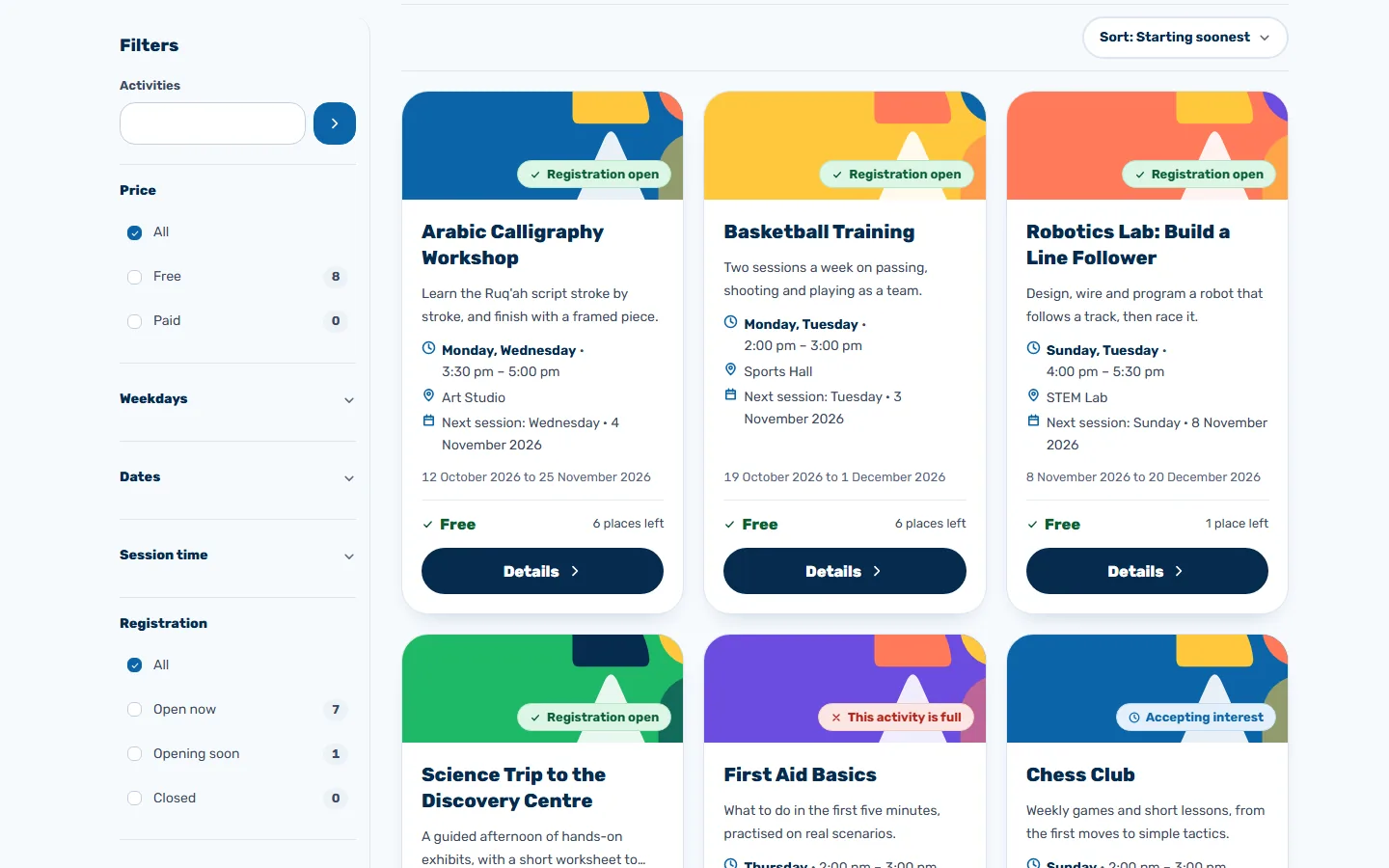
An open catalogue
Anyone can browse activities and filter them by day, time, and registration status.
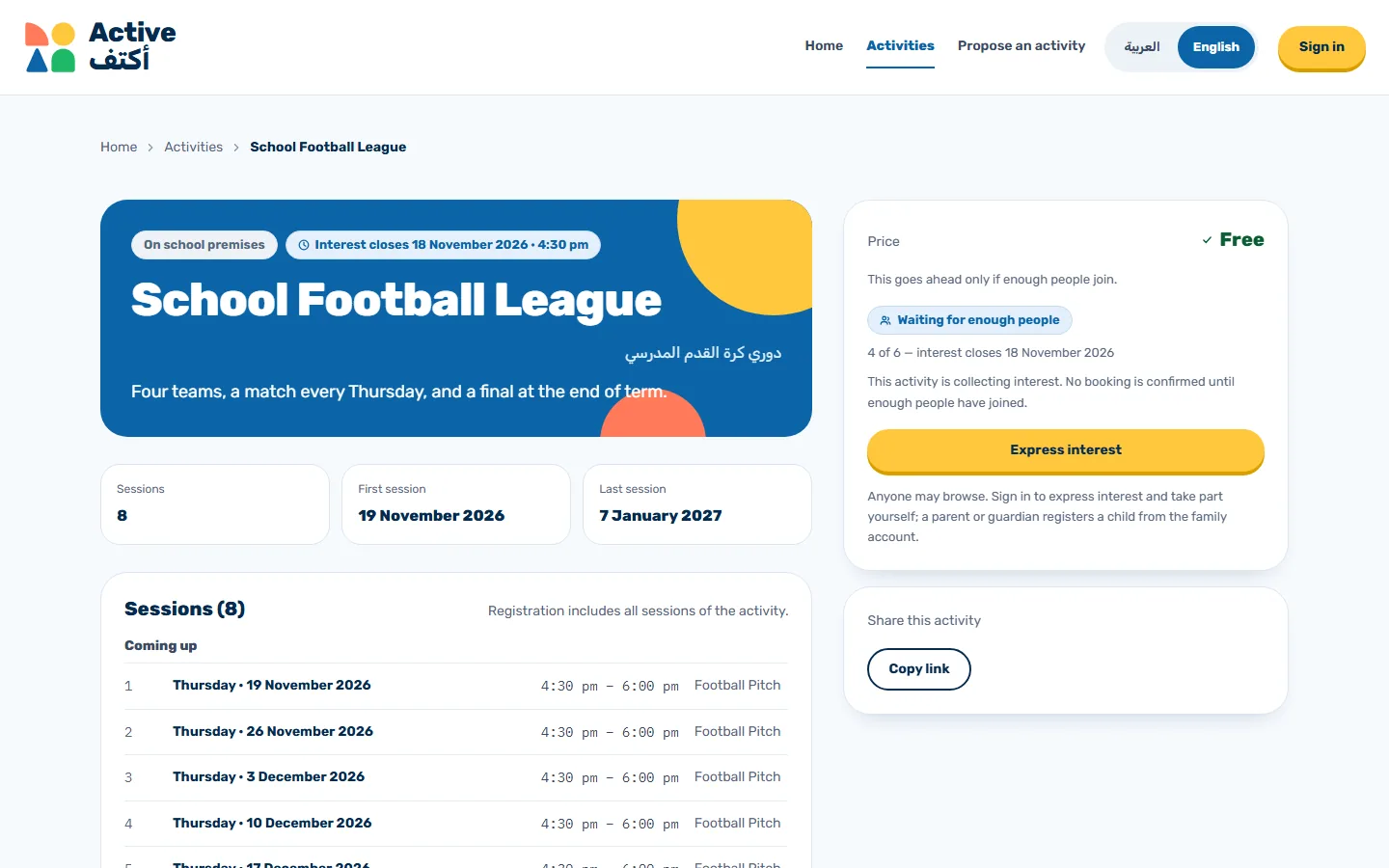
Expressing interest
Students press one button and can see how many more are needed.
A minimum number
An activity goes ahead only if enough people join, and its page tells everyone so.
Counted seats
Registration stops when the seats run out, so nobody books a place that isn’t there.
A student’s week on one screen
Students sign in and see the days of their school week with the activity covering each one, then today’s sessions and messages from the school.
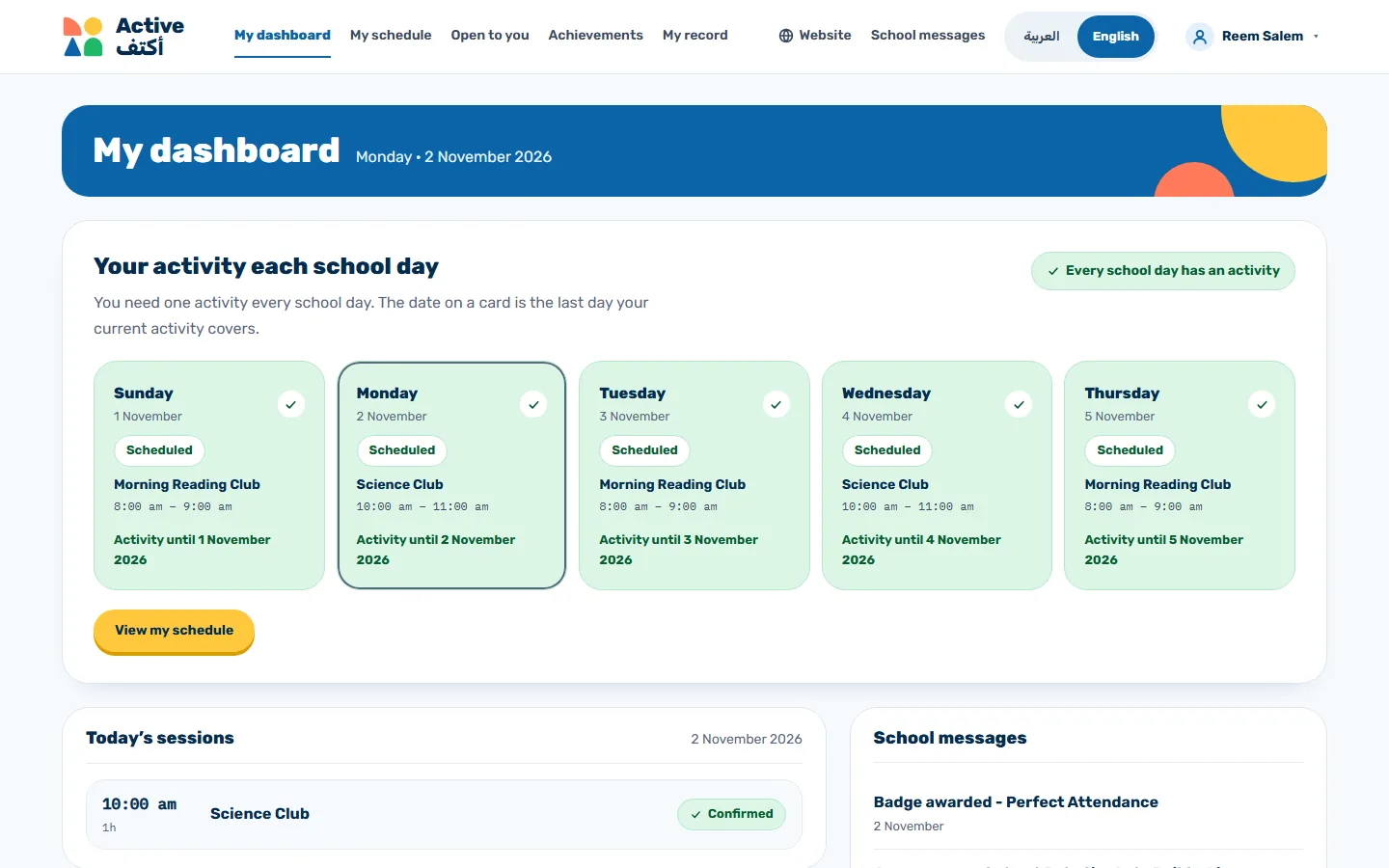
Their schedule
See each school day’s activity and move between weeks.
Activities open to them
Choose from the general and academic activities open to them, and join or withdraw.
School messages
Announcements and badge news reach them inside Active.
Their record
Bookings, attendance, and achievements are all in one place.
The register in the teacher’s hands
Teachers open a session, mark each student present, absent, or late, save the register, and move on to their next session.
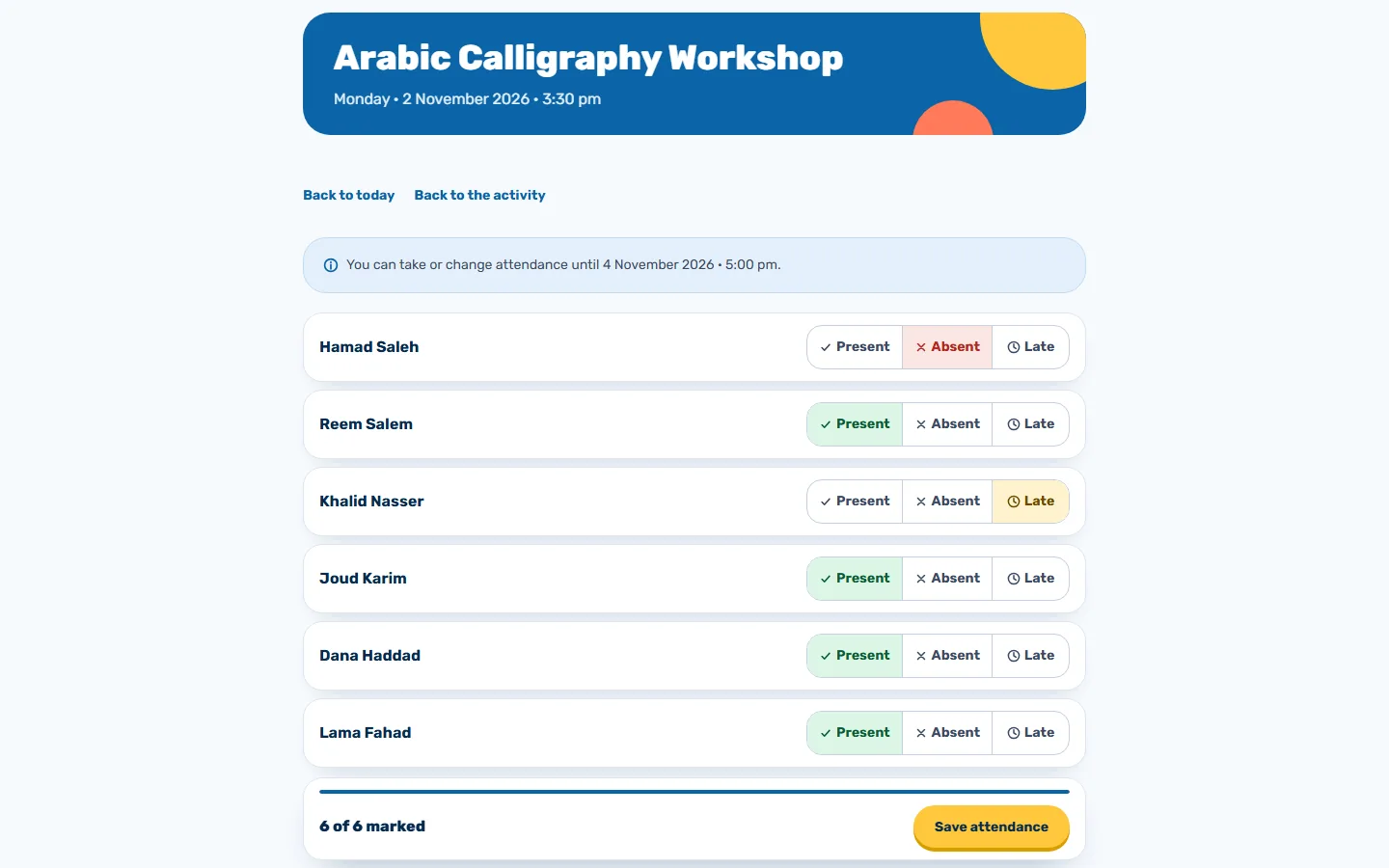
A teacher’s day
See the day’s sessions, which registers are done, and what’s waiting.
Time to correct it
Change a register within a window shown clearly on the page.
Absence excuses
Students’ excuses reach the teacher, who accepts or rejects them.
Their activities
Open each activity on their team and see its sessions, registers, and participants.
A certificate anyone can check
The school awards badges to those who earn them and issues a PDF certificate to those who finish an activity, with a QR code confirming it came from the school.
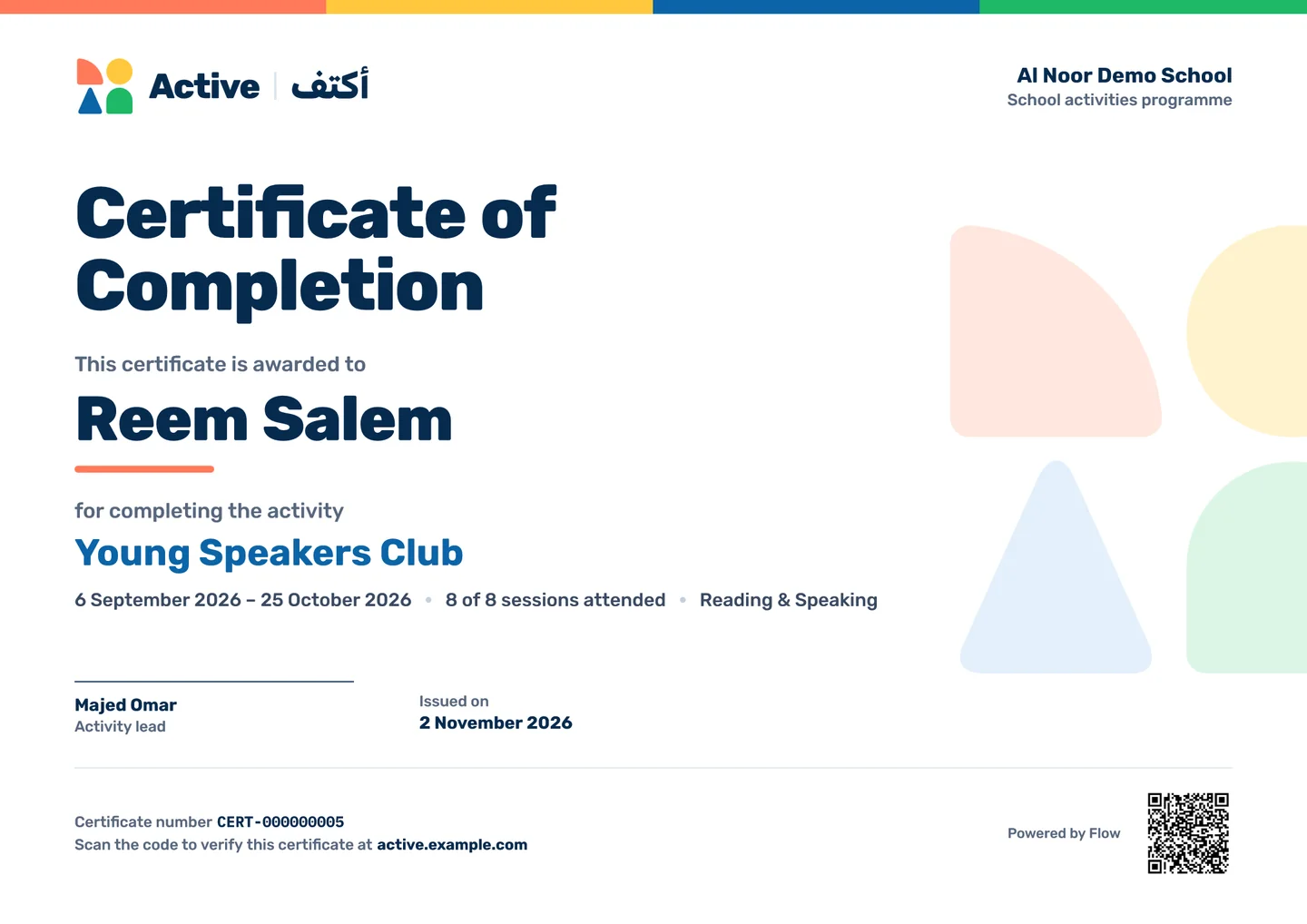
Badges
Define the badges you want, and award them to the participants of each activity.
An attendance rule
A certificate goes to students who attended at least 75% of the sessions.
In two languages
Students download their certificate in Arabic or English.
Open verification
Anyone who scans the code can see the certificate is genuine, and nothing beyond what’s printed on it.
Ideas from inside the school
Whoever has an idea writes a proposal in Arabic and English and sends it for review, and the school approves it, returns it with notes, or rejects it.
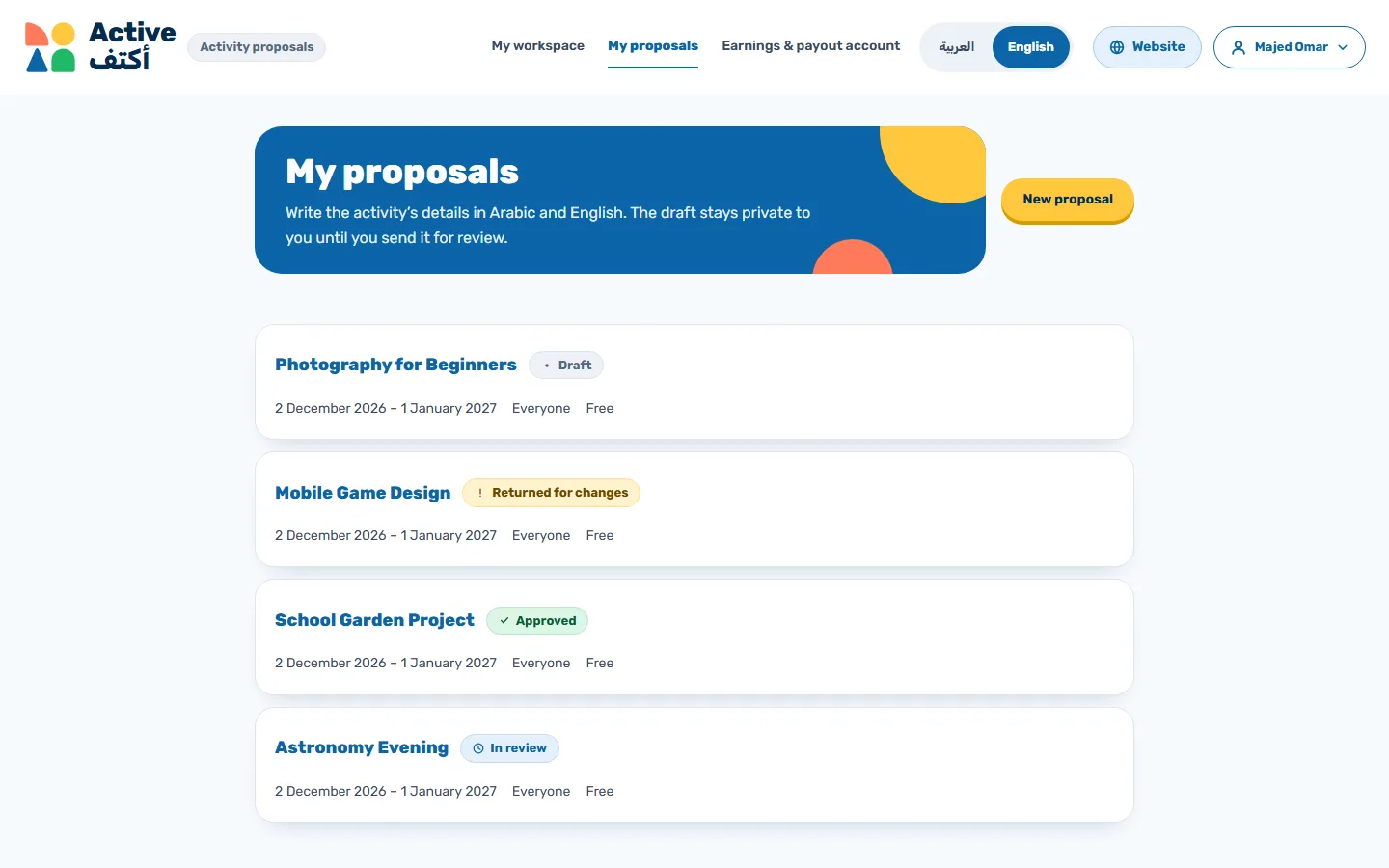
Drafts stay private
Nobody sees a draft until its author sends it.
A decision with a reason
The reviewer’s reason reaches the author exactly as written.
From proposal to activity
An approved proposal becomes a draft activity, and administrators decide when to publish it.
What needs your attention now
Administrators start the day from one board, with today’s sessions, unfinished registers, absences, and whatever is waiting for a decision.
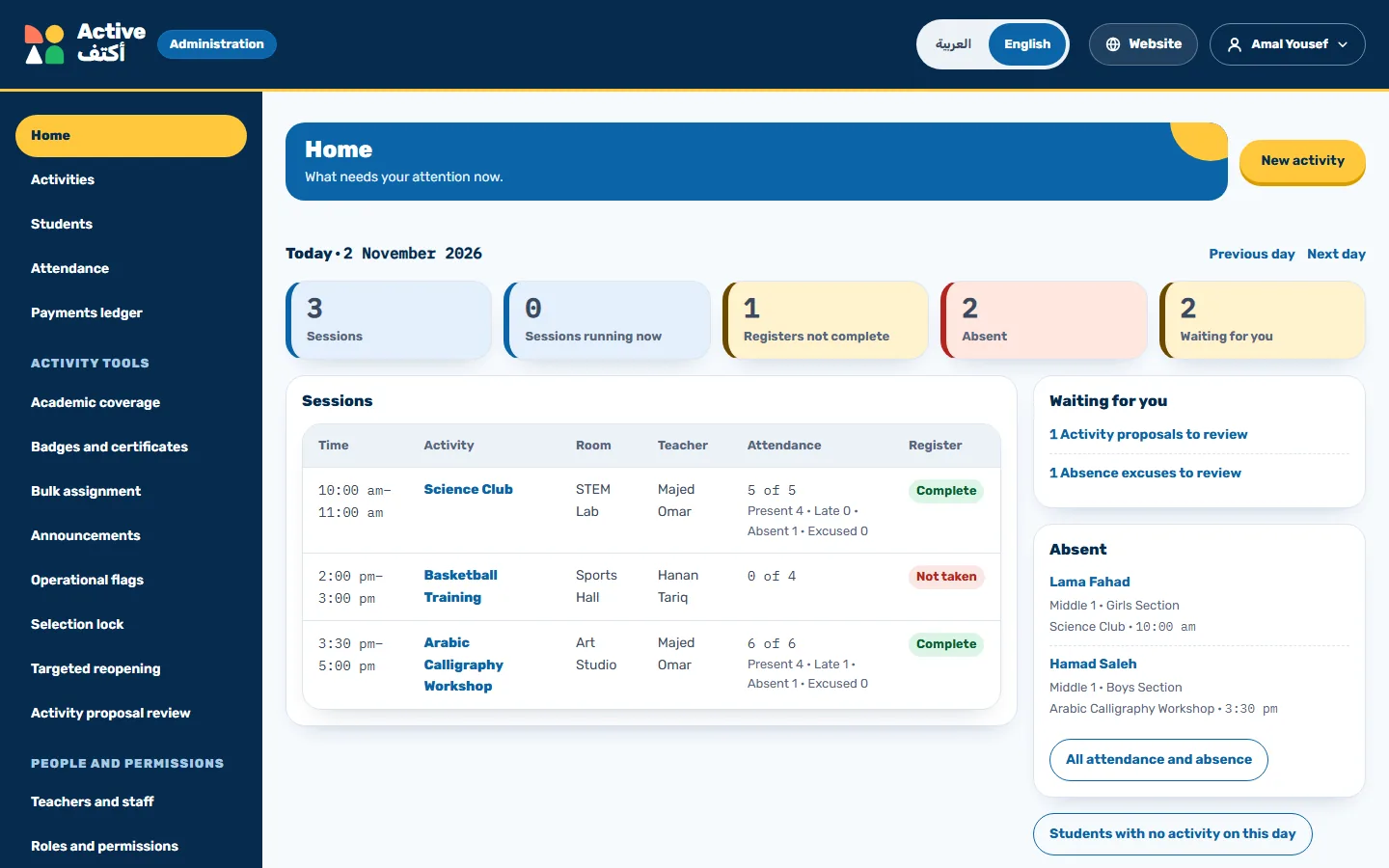
Academic coverage
See which activity covers each student on each school day, and who has none.
Bulk assignment
Add many students to several activities, with a preview first.
Announcements
Send a notice in Arabic and English to an activity’s participants and their parents.
Choosing activities
Stop a particular student choosing for themselves, or reopen registration for students you name.
Indicators
Follow activity and participation figures on one page.
Support requests
Visitors send a request with no account and track it by link, and staff answer from one inbox.
Every change has a name on it
Give each person a role, and everything that happens stays on record with who did it and when.
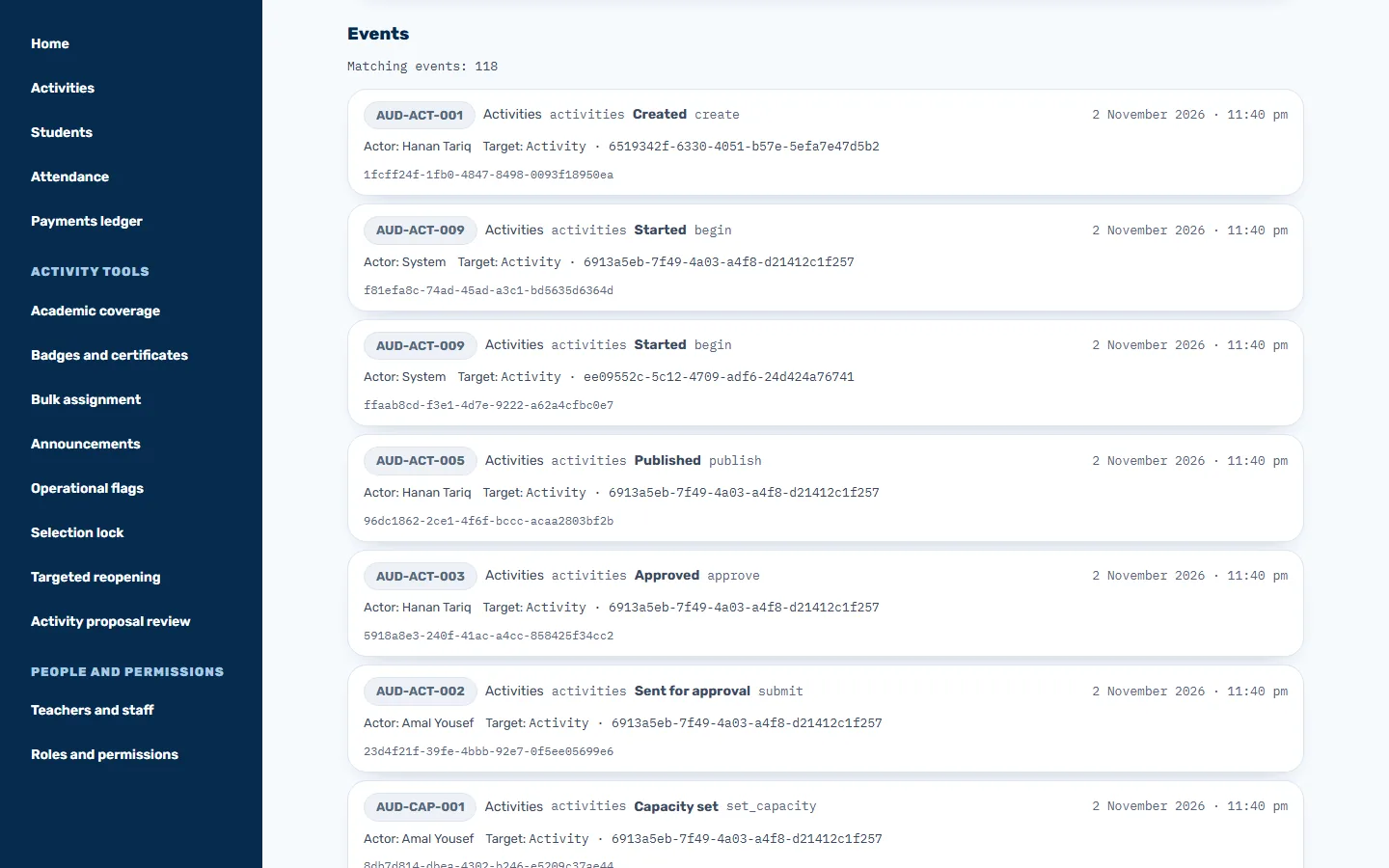
12 roles
Grant or remove each person’s role, with a reason for every step.
A lasting record
Go back to any change in a log that can’t be erased, and filter it as you like.
Masked numbers
Parents’ contact numbers stay hidden, and every reveal is recorded.
Export files
Export your reports to CSV or Excel. Each file is deleted after seven days.
On phones too
Active runs in a phone’s browser, so families can browse activities, and students can join one and see their badges from their own phone.
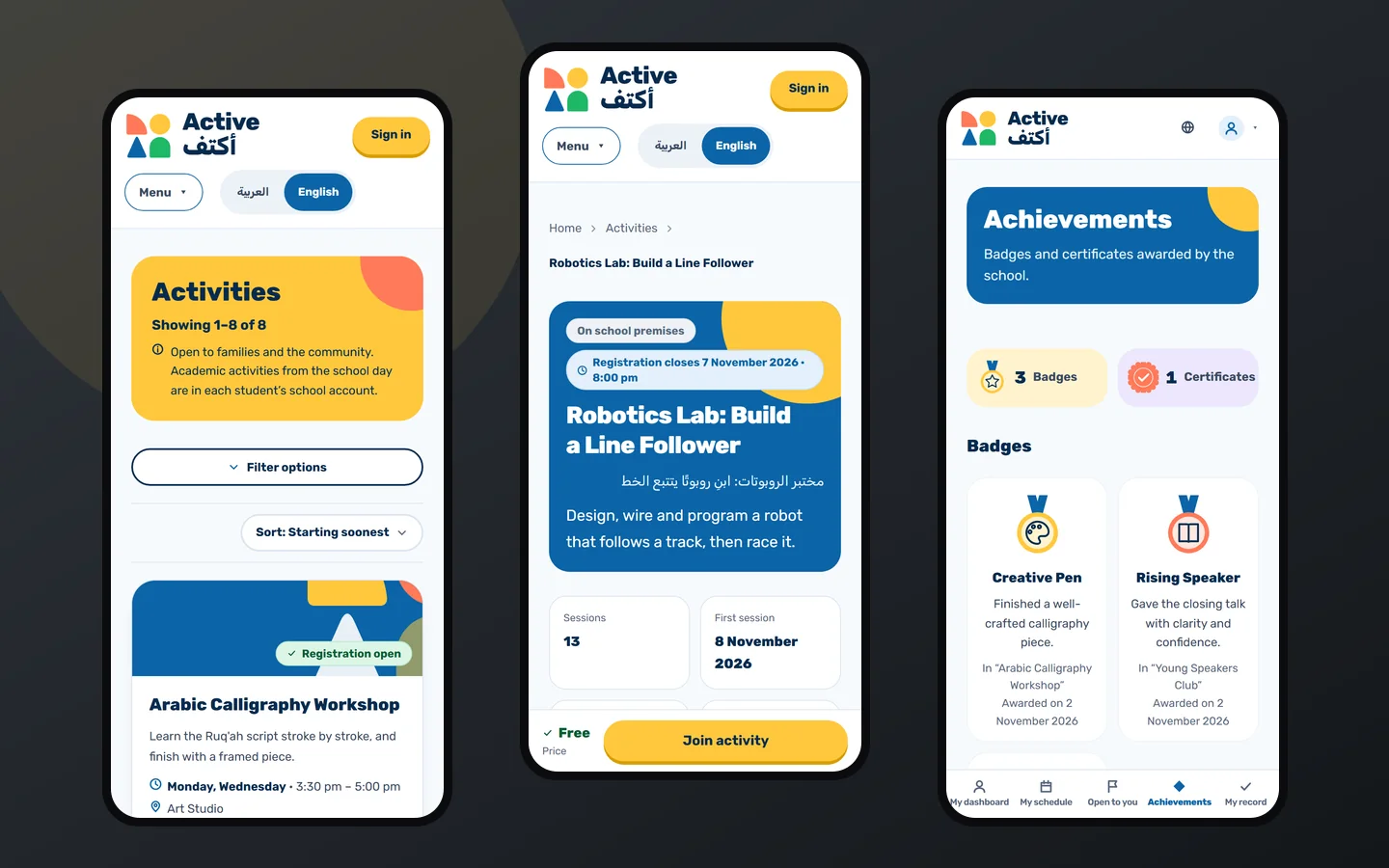
Opens from a link
There’s nothing to install, and a phone browser is all it needs.
Joining stays in reach
The join button stays at the bottom of the screen while you read an activity’s details.
Arabic and English
Switch language from the top of the page at any time.