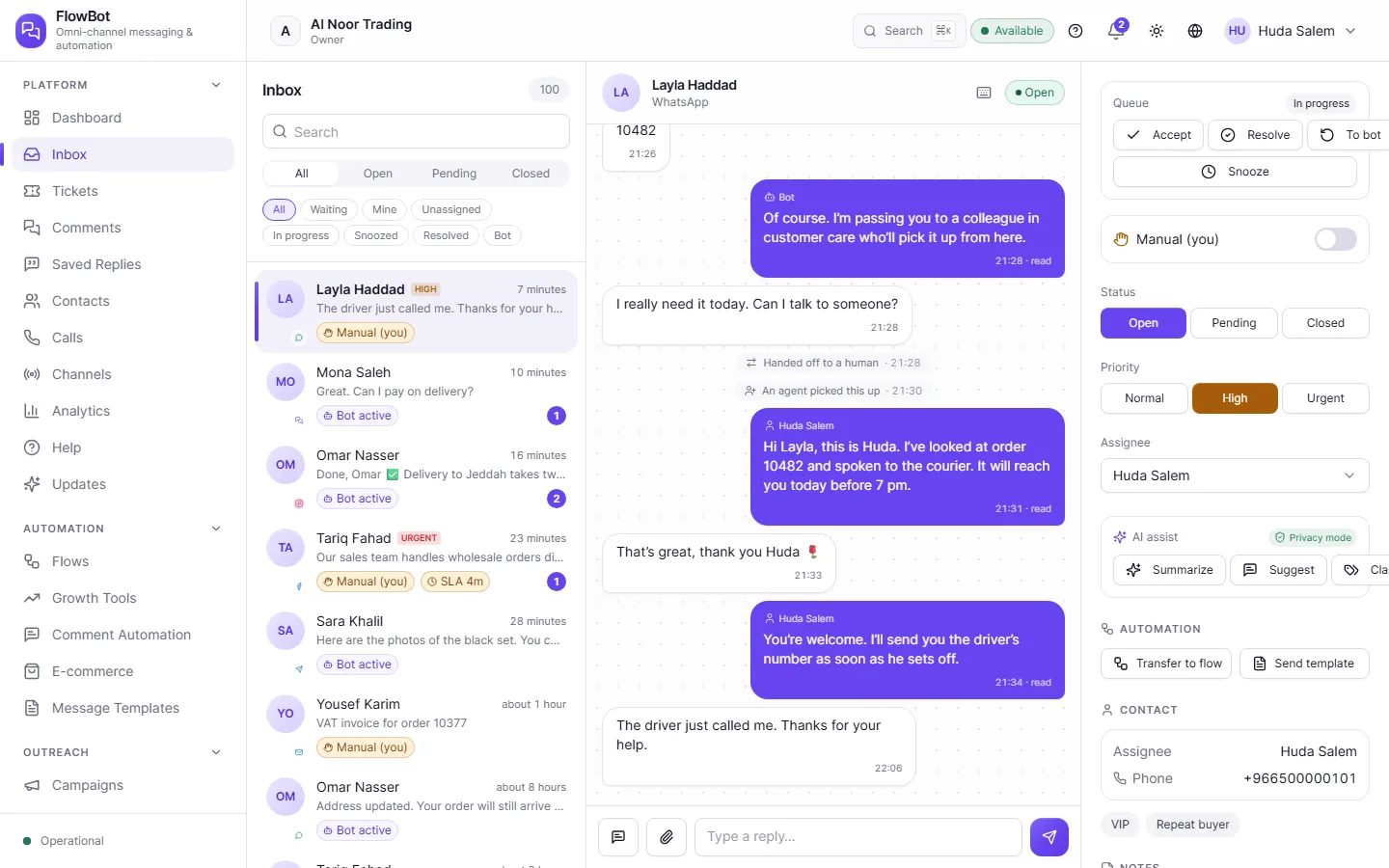
All your channels in one place
Phone system
Callers get a keypad menu or a voice assistant, then reach your staff.
WhatsApp
Message customers through chats, templates, and campaigns, with the 24-hour window taken into account.
Telegram
Connect your bot, and its messages arrive with all the others.
Messenger
Answer your Facebook page’s messages from the same inbox.
Instagram
Follow your messages here, and answer comments too.
Email
Connect your mailbox, and each customer email becomes a conversation your team can follow.
SMS
Text your customers, and see their replies in the same conversation.
Website chat
Add a chat window to your site, where the bot answers first and your team follows.
Choose the channels you need, and add others whenever you like. Each channel runs on your own account with its provider.
One team, one inbox
Everyone works from the same place, and every conversation has an owner, a status, and a priority, so each person knows what’s waiting for them.
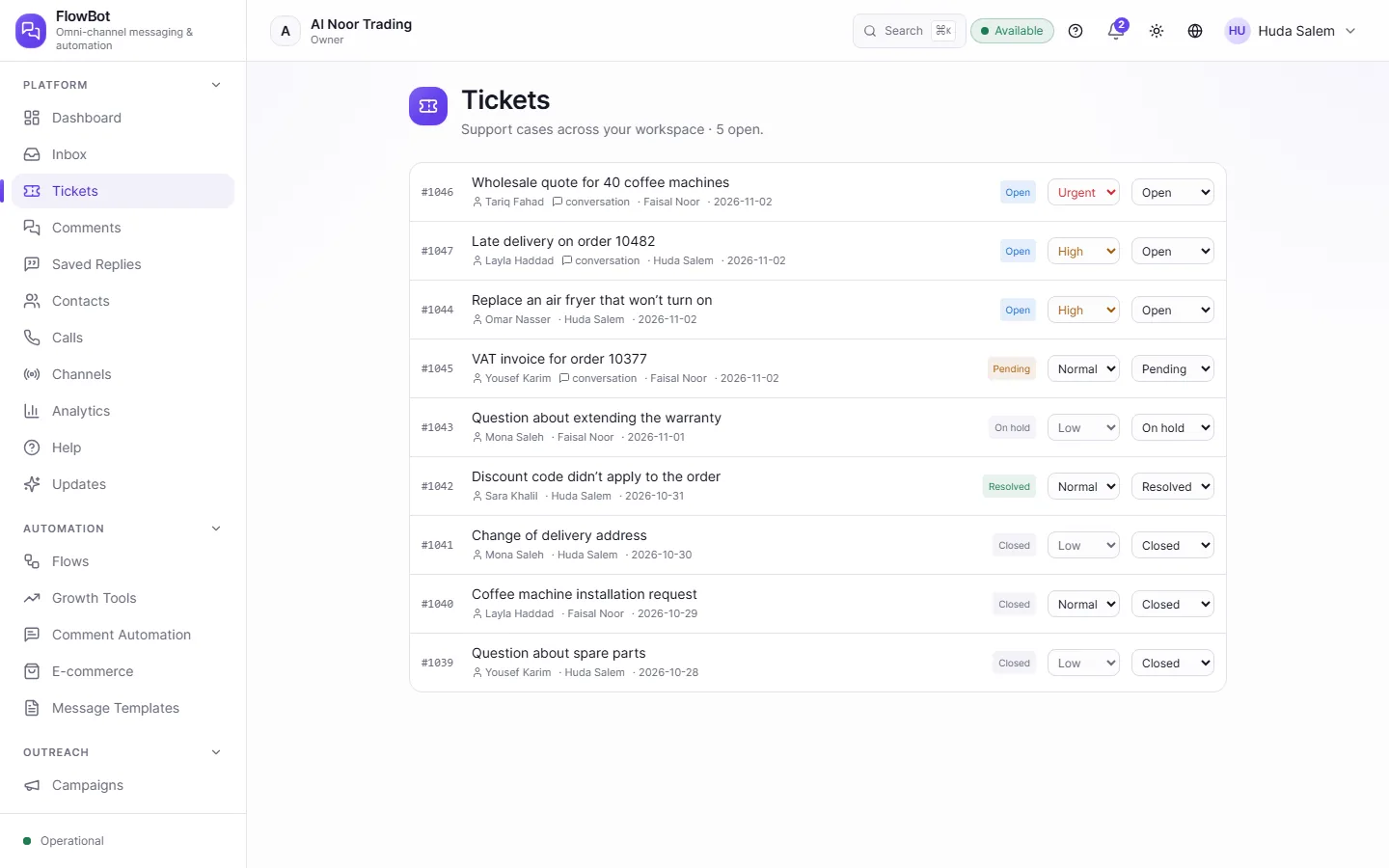
Assign every conversation
Set who owns it, its status, and its priority, or snooze it until a time you choose.
From bot to person
Staff can take over a conversation at any moment, and hand it back to the bot when they’re done.
Notes customers can’t see
Write to your colleagues inside the conversation, so the details stay where they belong.
Saved replies
Save the replies you use often, and drop them in with a short shortcut.
Comments
Bring Facebook and Instagram comments into one list, and reply or pass them to a colleague.
Support tickets
Open a numbered ticket for each problem, and let AI sort incoming email if you want.
Draw the flow, and the bot does the rest
Drag steps onto the canvas and join them up without writing code, from the welcome message to the handover to a person.
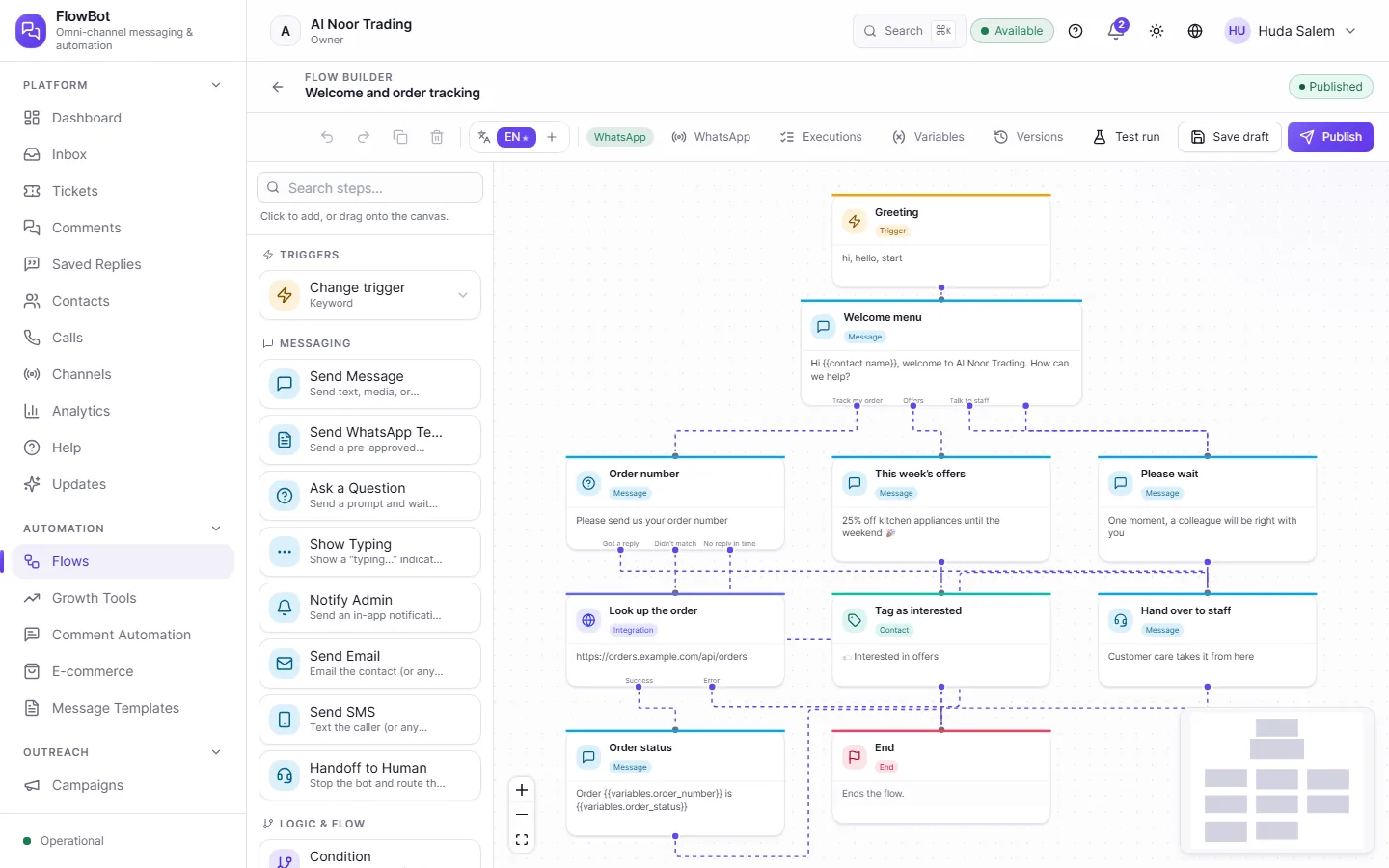
Ready-made steps
Send a message, ask a question, check a condition, call another system, and much more.
A flow for each way of talking
Build one for every channel, for WhatsApp alone, for calls, or for email.
Try it before you publish
Do a test run and follow each step, without anything reaching anyone.
Versions to go back to
Save a draft, publish when it’s ready, and return to an earlier version if you need to.
Your data in the flow
A flow can read from your database or ask your systems, so a customer can check an order, for example.
Words that stop a flow
Choose words that stop any running flow when a customer types them.
Your phone system too
Build a call flow on the same canvas: a greeting, a keypad menu, then a voice assistant or a person.
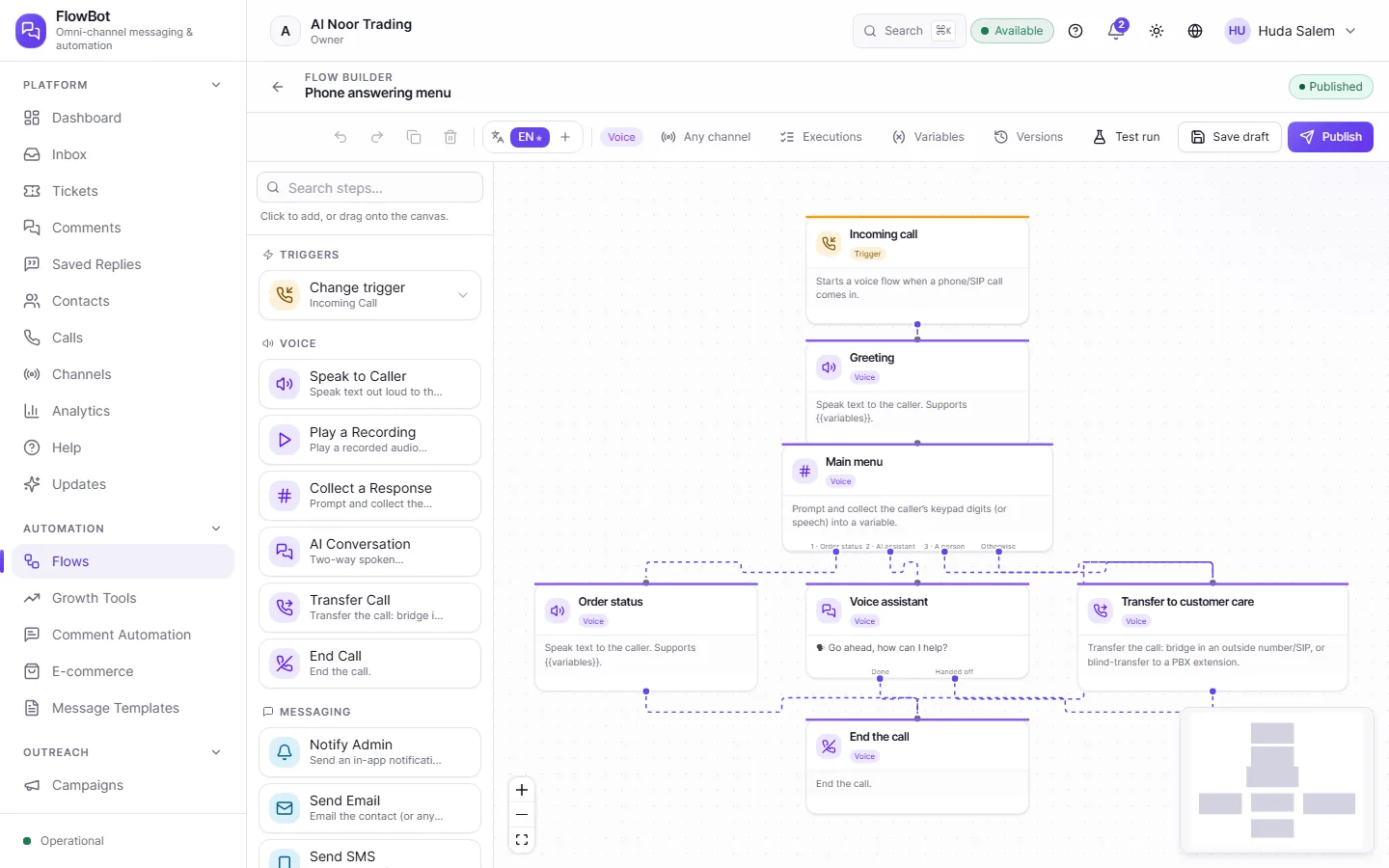
Keypad menus
“Press 1 for your order, 2 for the assistant, 3 for a person,” and each number has its own branch.
A voice assistant
AI talks with the caller, and passes them to a person when needed.
Call transfer
Connect the call to an outside number, or transfer it to an extension on your phone system.
Call log
See who called, who answered, how long it took, and how it ended, and export it to CSV.
Call campaigns
Call a list of customers with a voice flow or an AI agent, and set how many calls to make and when.
A message after the call
The flow can send the caller a text or an email, or alert your team in the app.
Calls need FlowBot to be connected to your phone system or your calling provider.
AI agents that know your business
An agent answers customers and sorts their requests, then hands the conversation to a person when it goes beyond what it knows.
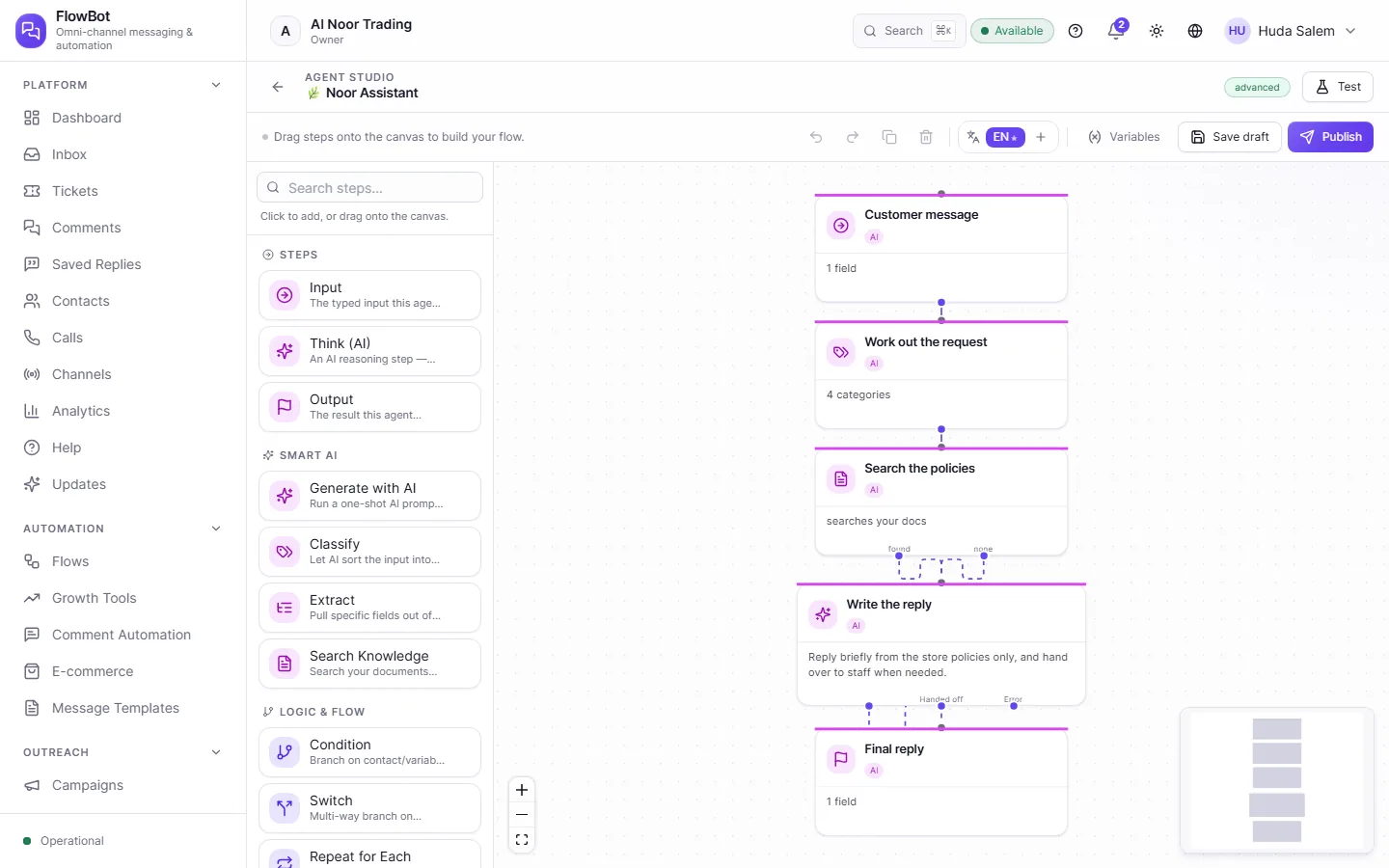
Agent Studio
Draw how it works, step by step: it works out the request, searches your policies, then writes the reply.
Your own knowledge
Add your documents and policies, so its answers draw on them.
Help inside the conversation
It summarizes the conversation for staff, suggests a reply, and classifies the request.
Versions you control
Publish the agent when it’s ready, and go back to an earlier version whenever you want.
A bot for each purpose
Create several bots, each with its own channels and flows, and see which one handled each conversation.
Costs you can see
Follow usage and estimated cost on one page.
AI runs on a key from the provider you choose.
Start the conversation yourself
Send a campaign to an audience you choose, or line up follow-up messages that arrive on time, without bothering people who don’t want them.
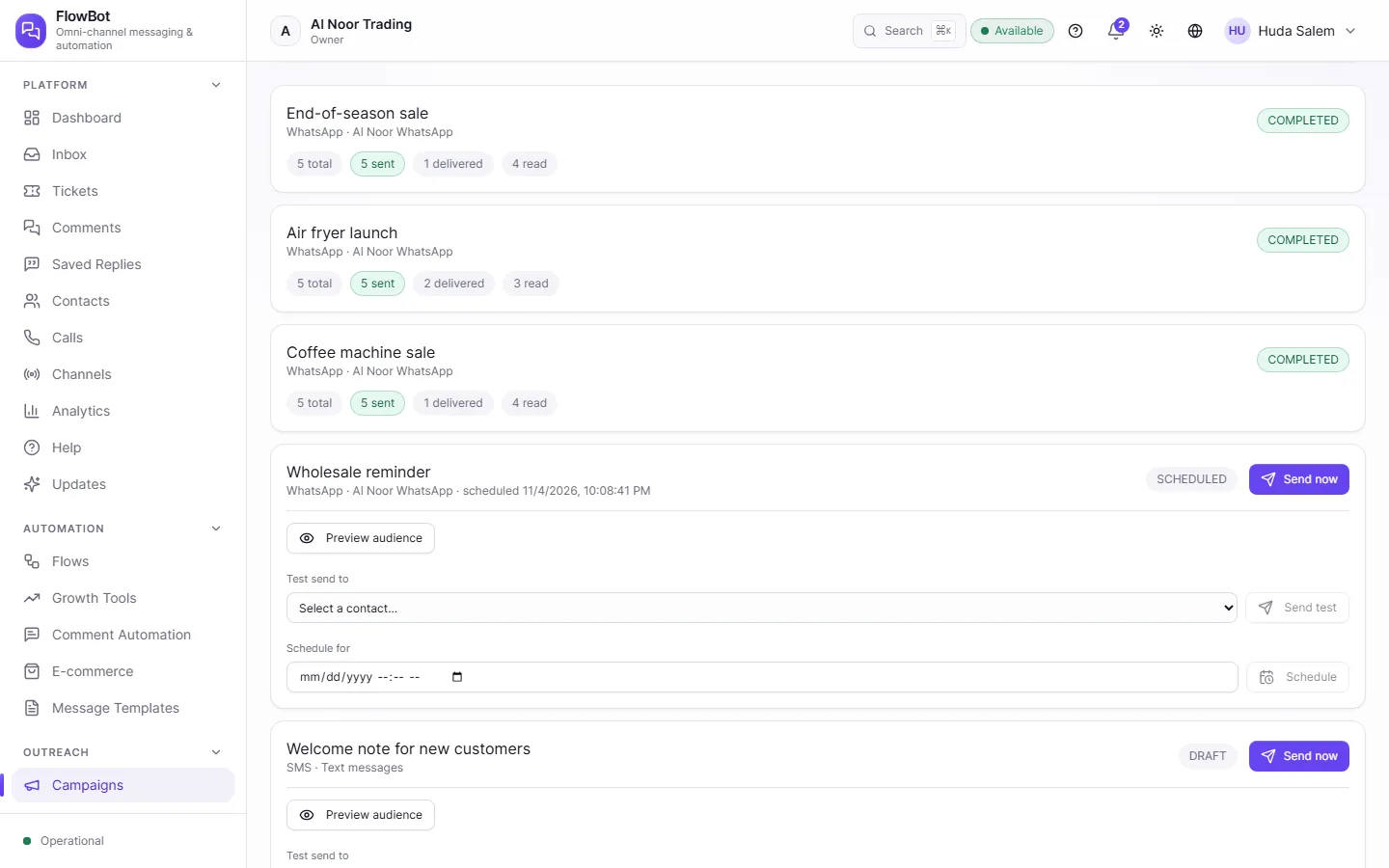
Campaigns
Preview your audience, send a test, then launch or schedule the campaign and follow what was delivered and read.
Follow-up sequences
Line up messages over days or weeks, with the gaps you choose.
WhatsApp templates
Prepare your templates and follow their approval, so you can message customers after the 24-hour window.
Customer consent
It keeps track of who agreed to hear from you, and messages stop for anyone who asks, in Arabic or English.
Links and QR codes
Share a link, QR code, or landing page that takes visitors to a flow you choose, and see how many come.
Automatic comment replies
Choose words in Facebook and Instagram comments, and reply publicly or in a private message.
Every customer in one place
A customer’s channels come together in one record, so you know who they are however they get in touch.
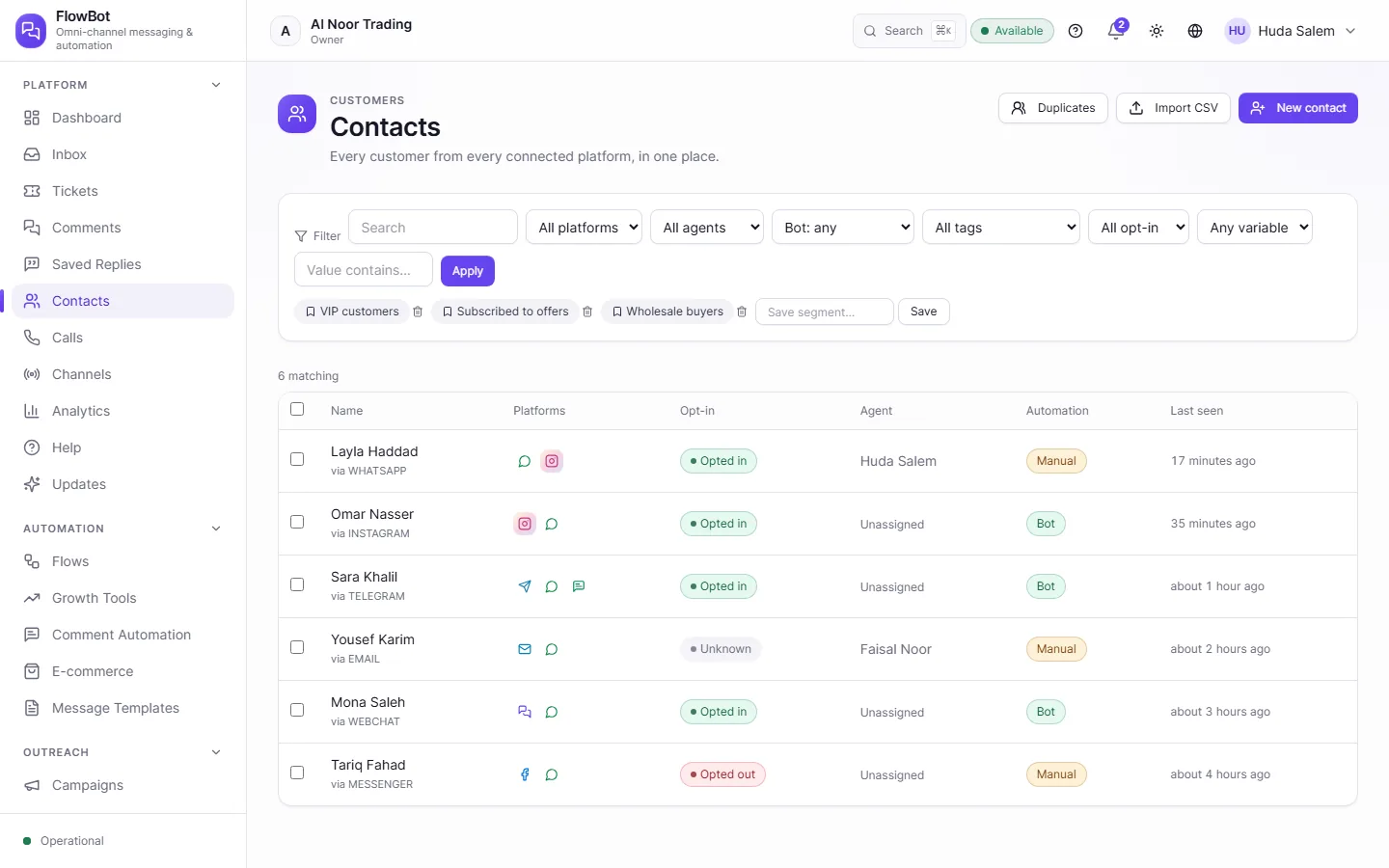
A record for each customer
Their channels, their consent, who looks after them, when they were last seen, and any fields you add.
Saved segments
Filter customers by channel, tag, or consent, and save the result for your campaigns.
Import and export
Bring customers in from a CSV file, and export them whenever you like.
Merge duplicates
Find duplicate records and merge them into one.
For whoever runs the work
See what’s happening across every channel, decide what each person can do, and connect FlowBot to the rest of your systems.
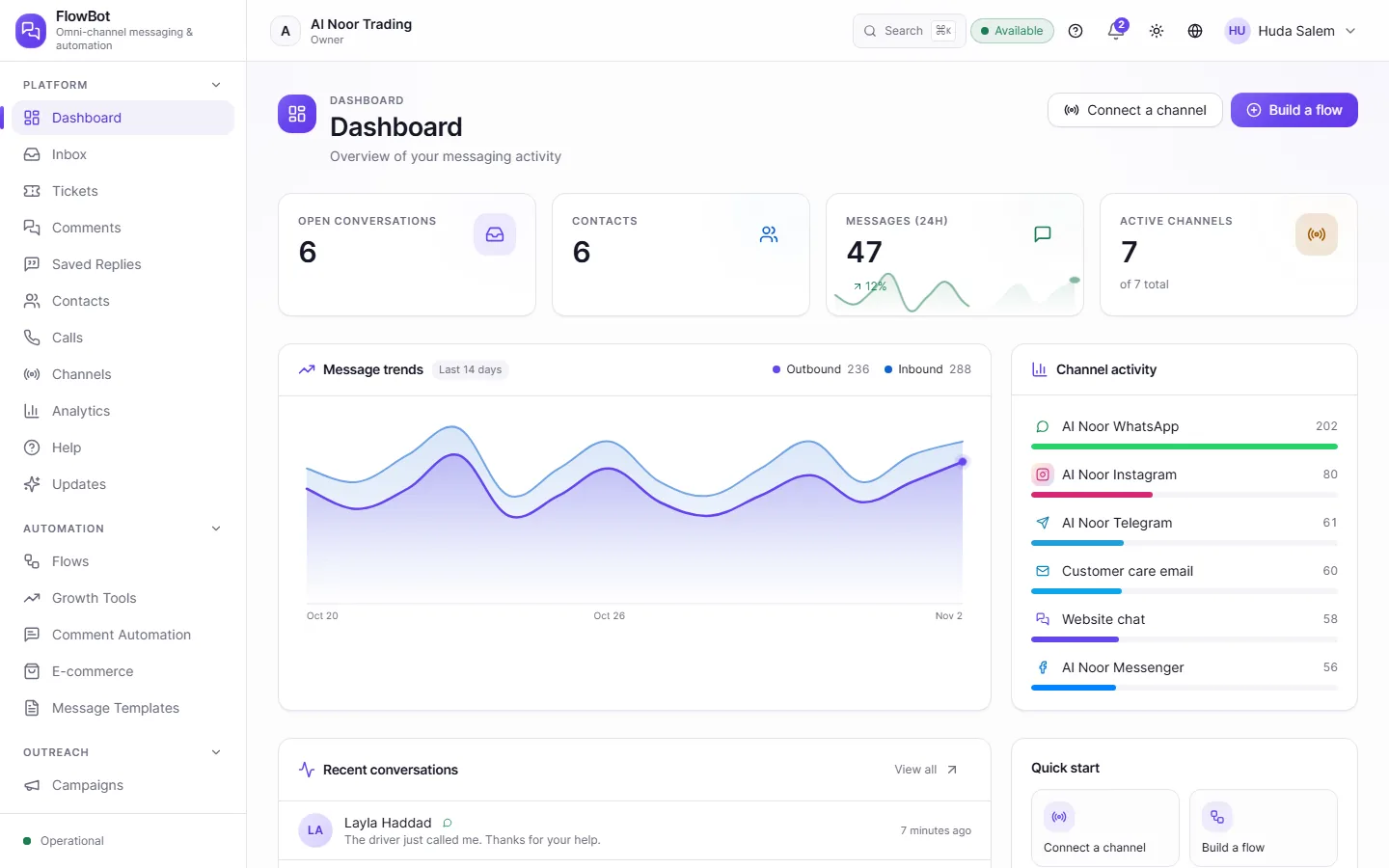
Dashboard and analytics
Follow conversations, messages, handovers, and your busiest channels.
Roles and permissions
Use the built-in roles, or build one to suit each team.
Activity log
See what happened and who did it, in one place.
API
Create keys with limited permissions, and restrict them by IP address or expiry date.
Connect your systems
Send events to your systems, and call their services or databases.
System health
Check at a glance that your channels and services are running.
FlowBot works in Arabic and English, and each person picks their own language.